Skip to main content
How To Observe The Impact Of Local Variable and Global Variable Control Initiatives
- Navigate to the Quantification Module to create local and global variable control initiatives.
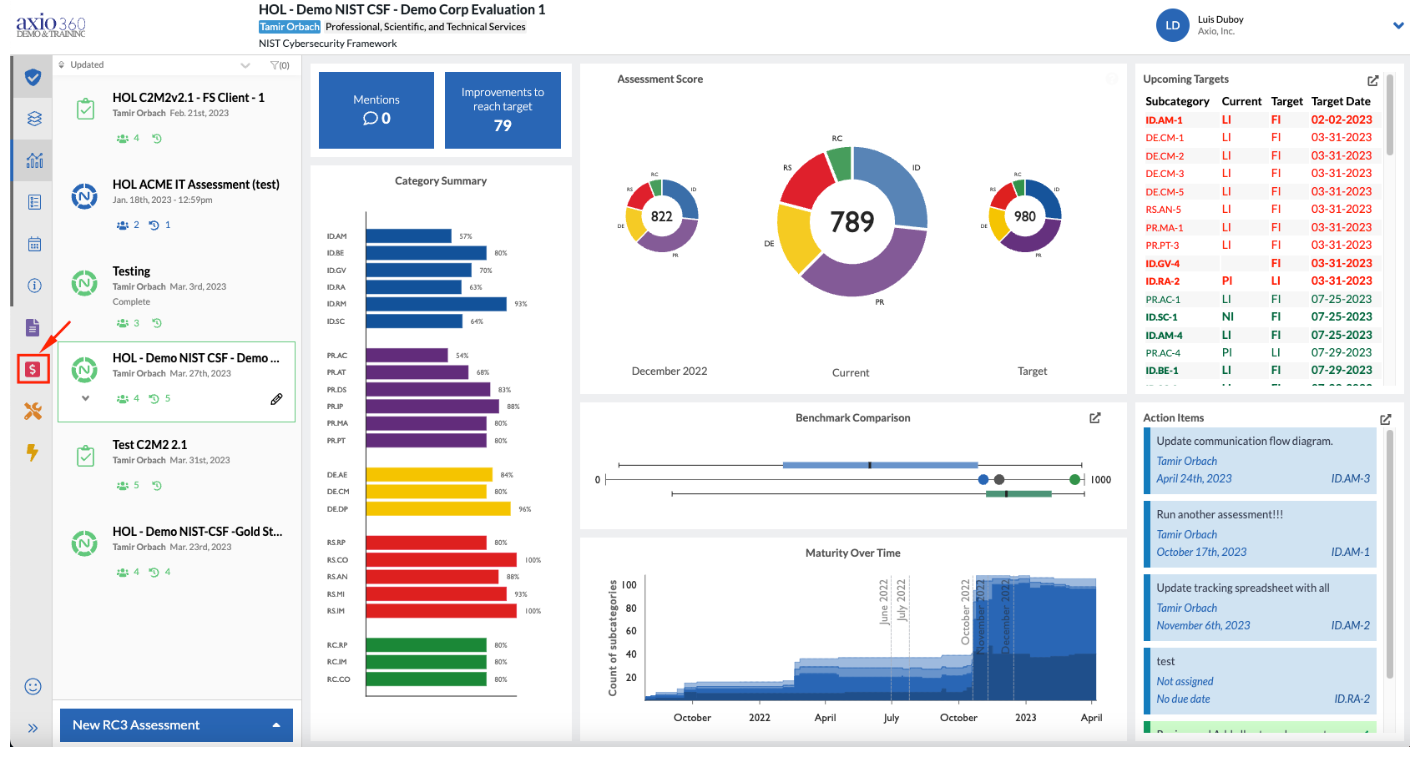
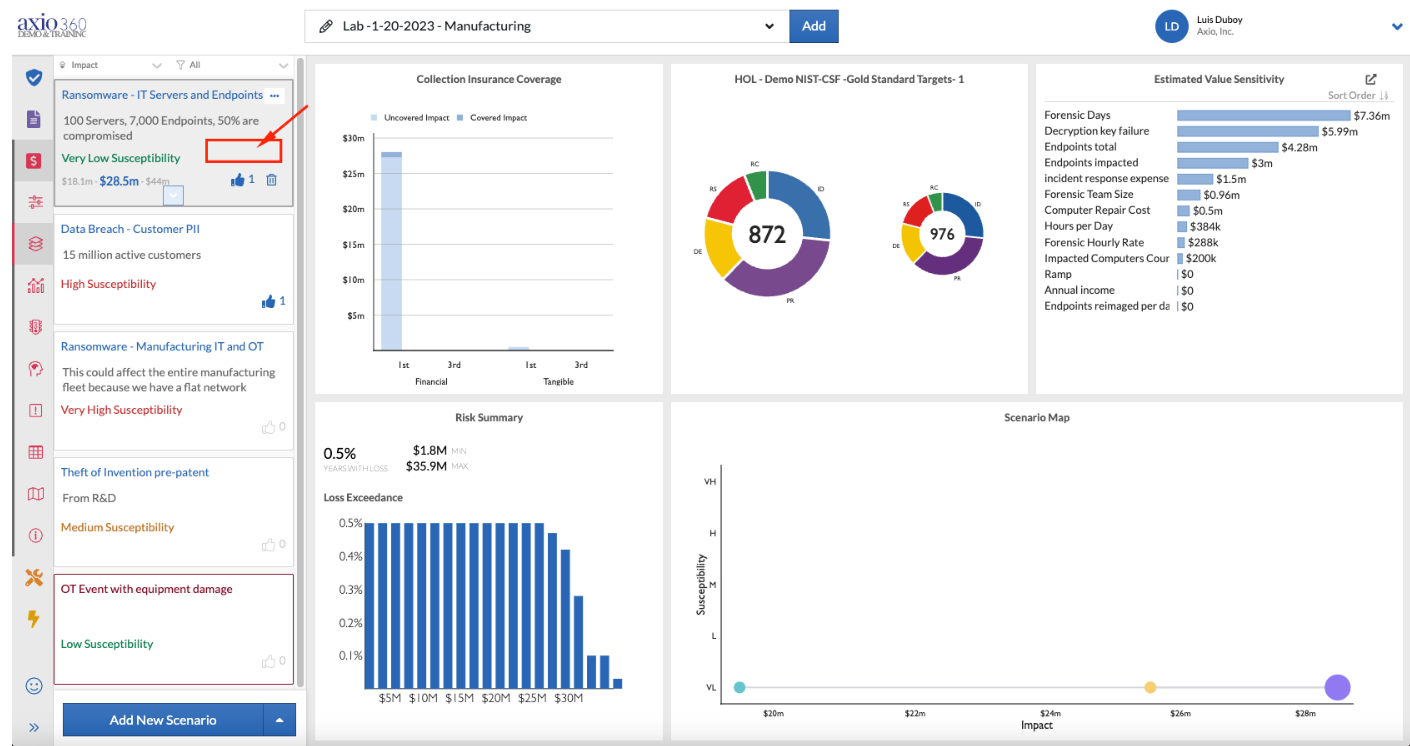
- Select the white space in the Ransomware Collection box to select that specific scenario collection.
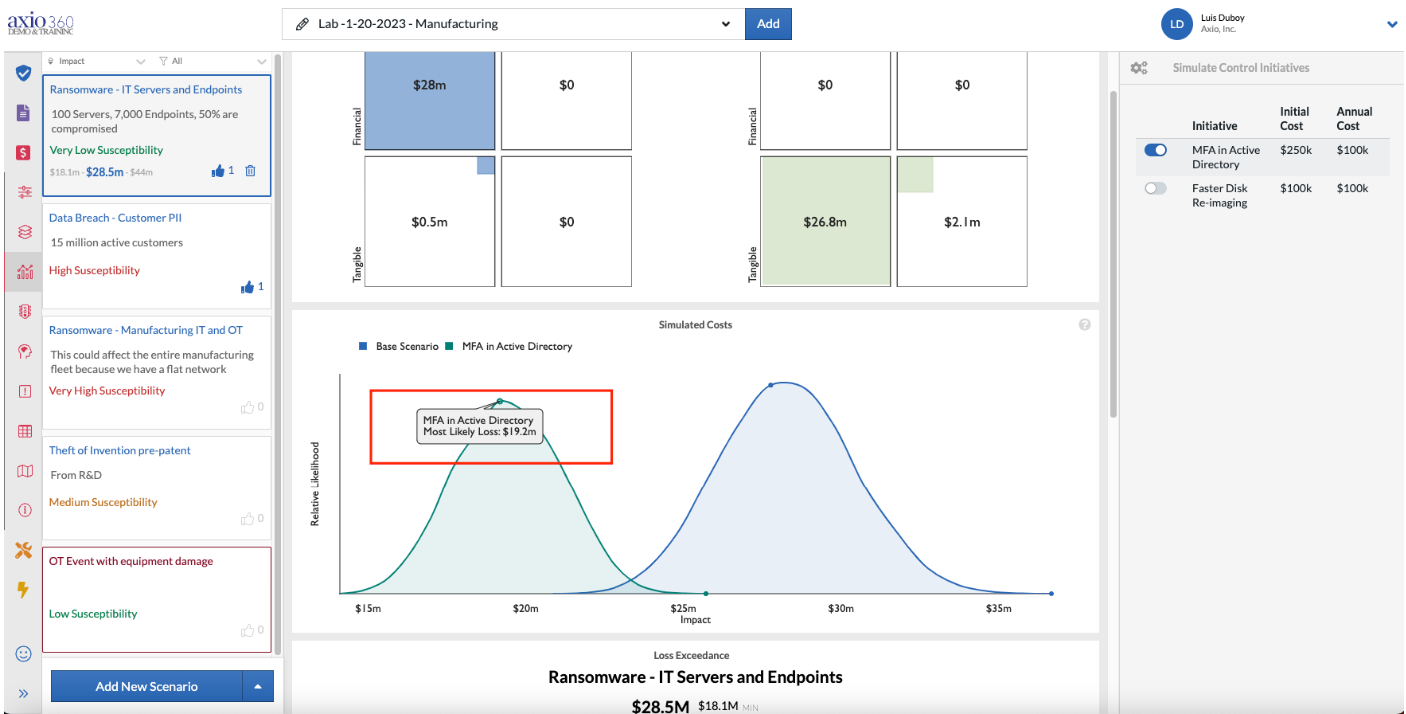
- Then select the Dashboard icon to see the simulated costs.
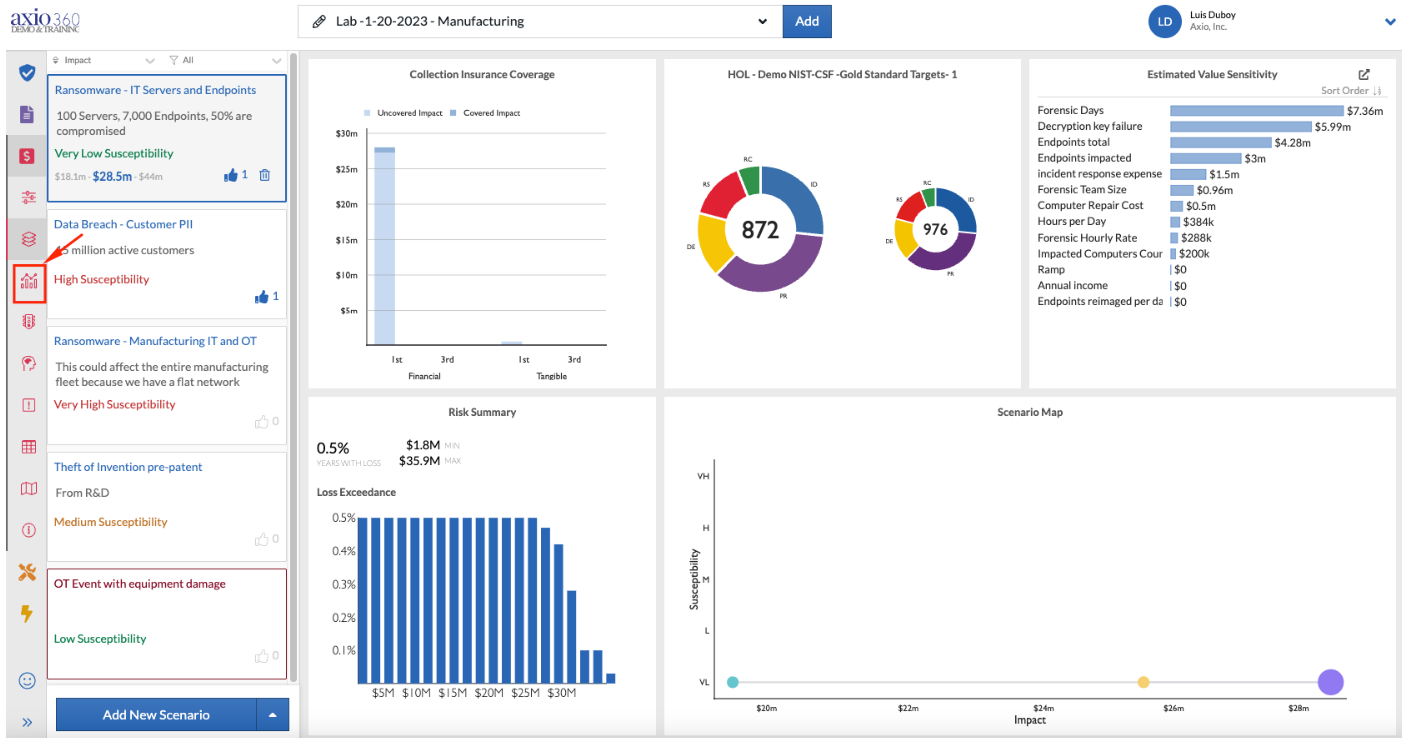
- The simulated costs graph is shown below.
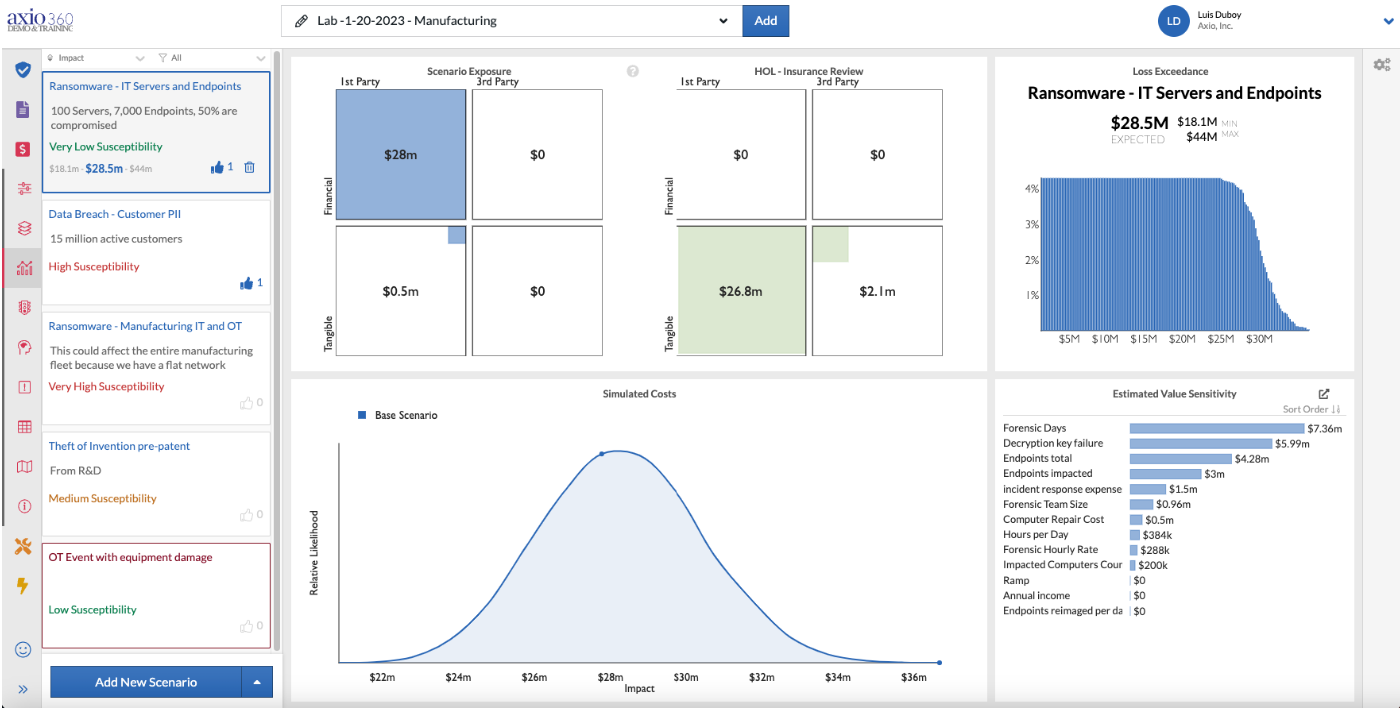
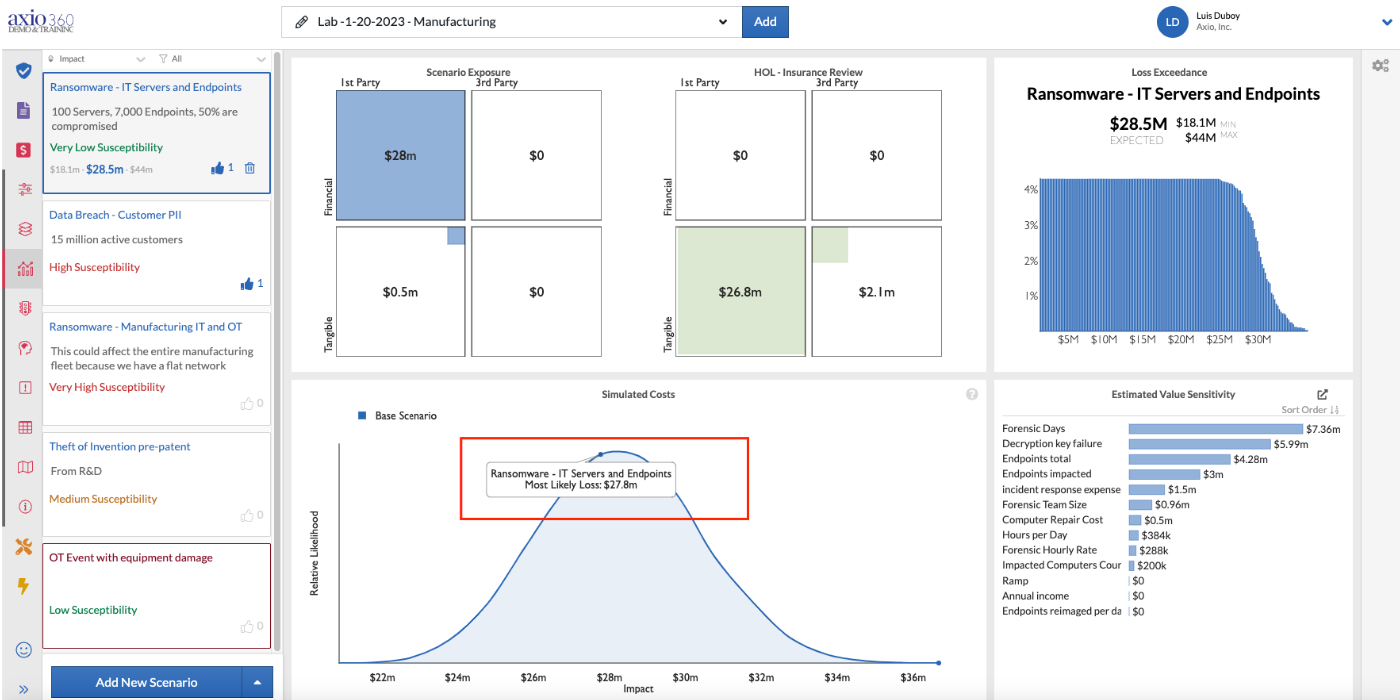
- The simulated costs are $27.8 million.
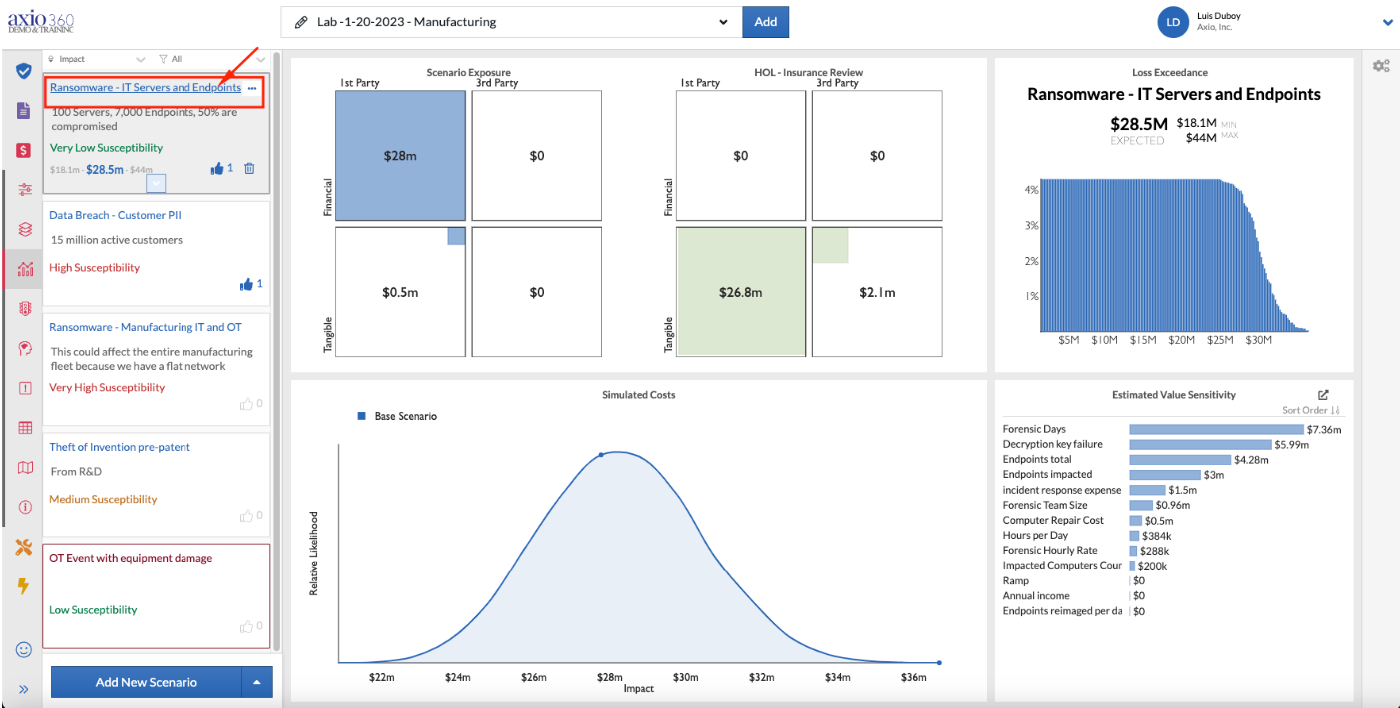
- Go into the Scenario Collection to see the quantification details by selecting the title.
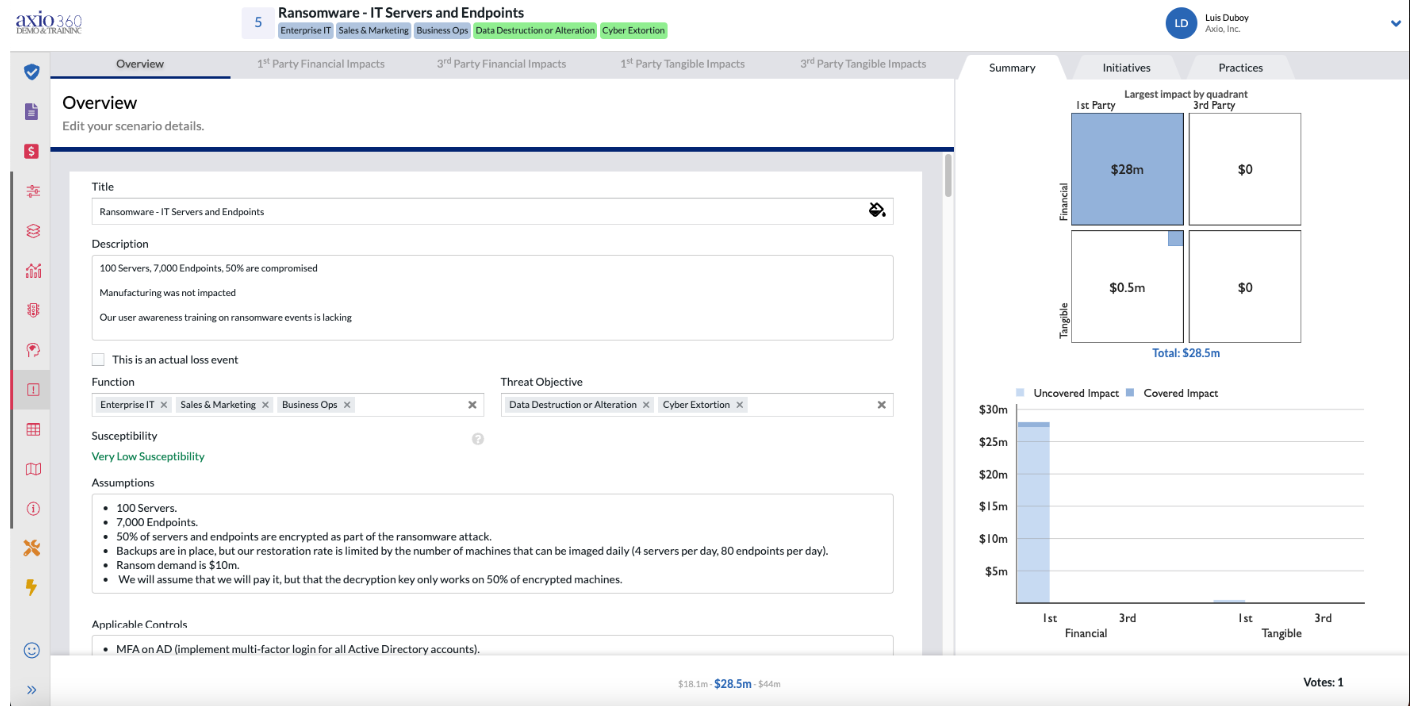
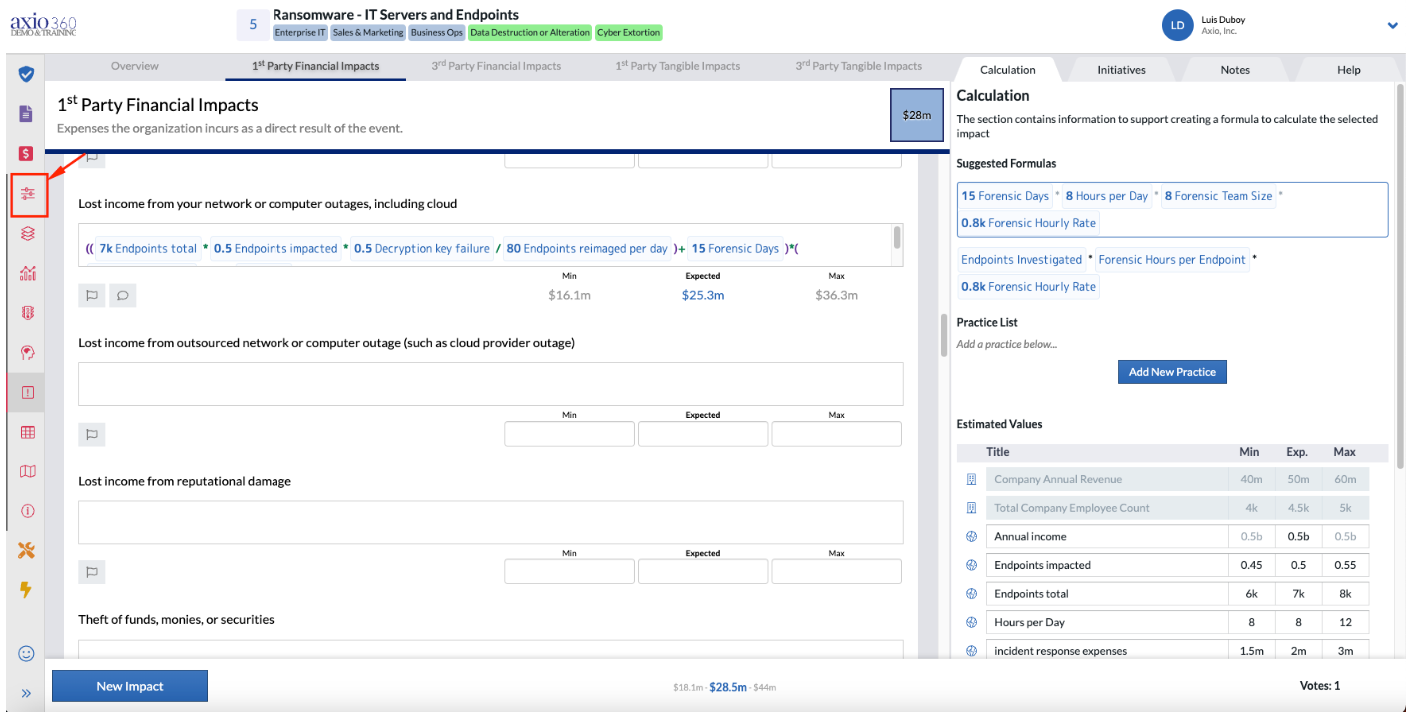
- The overview has general information about the scenario collection. Scroll down to see the 1st Party Financial Impact of lost income from network or computer outages, including cloud.
- In this formula, the endpoints impacted variable is a global variable and is denoted by the globe icon to the left of it on the table on the right.
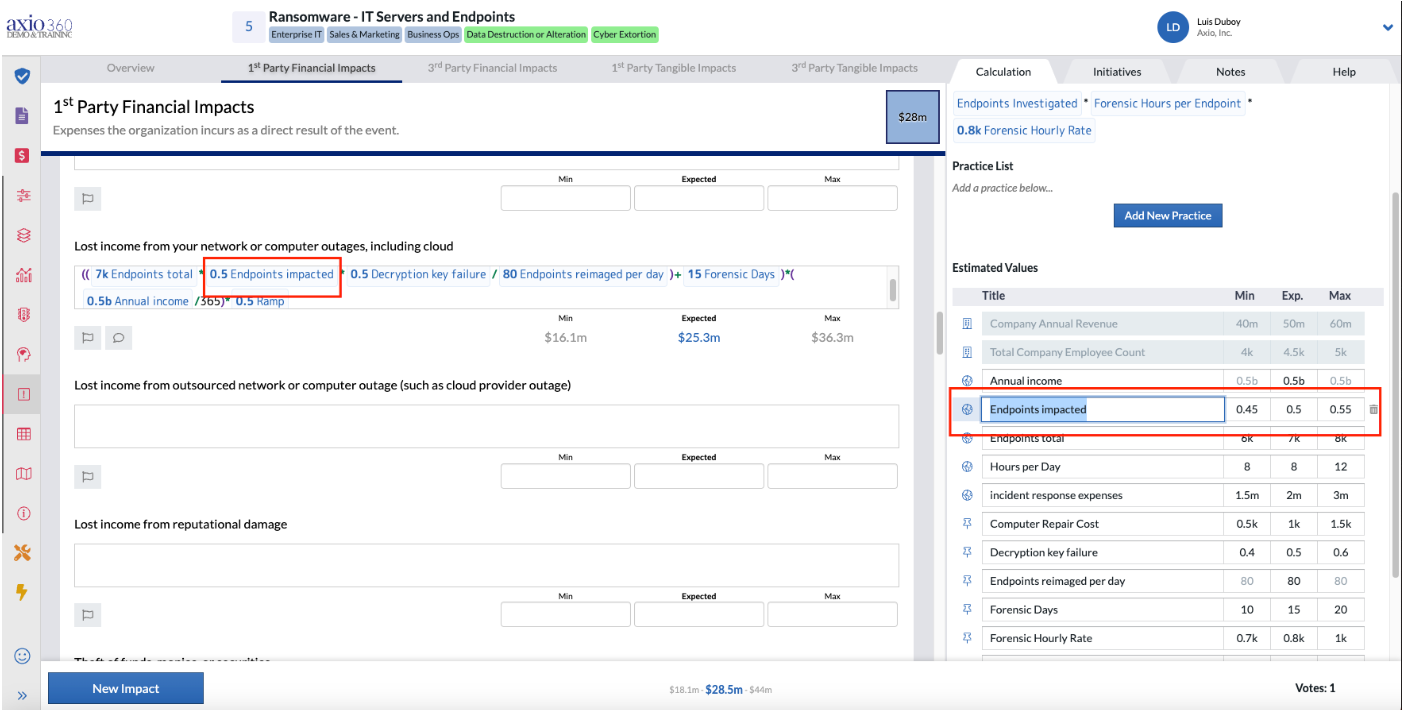
- Navigate to the Collection screen to create a control initiative that will impact this global variable.
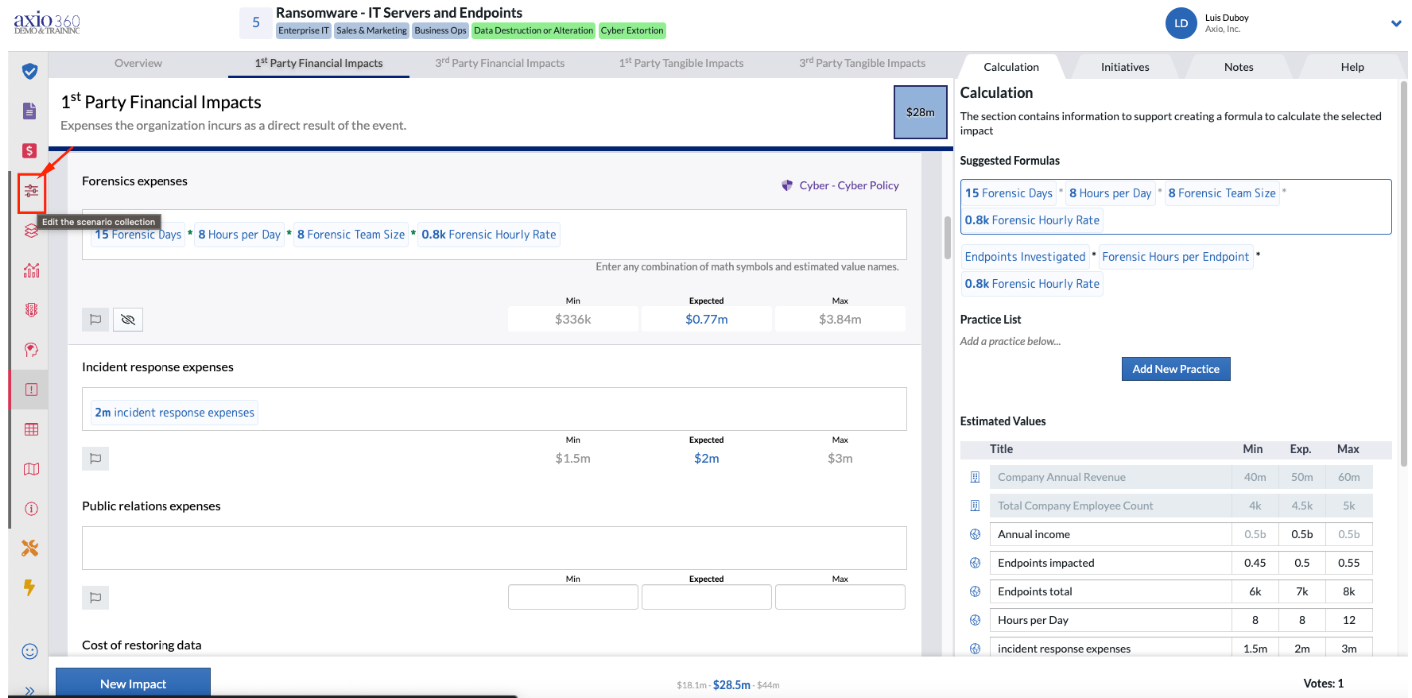
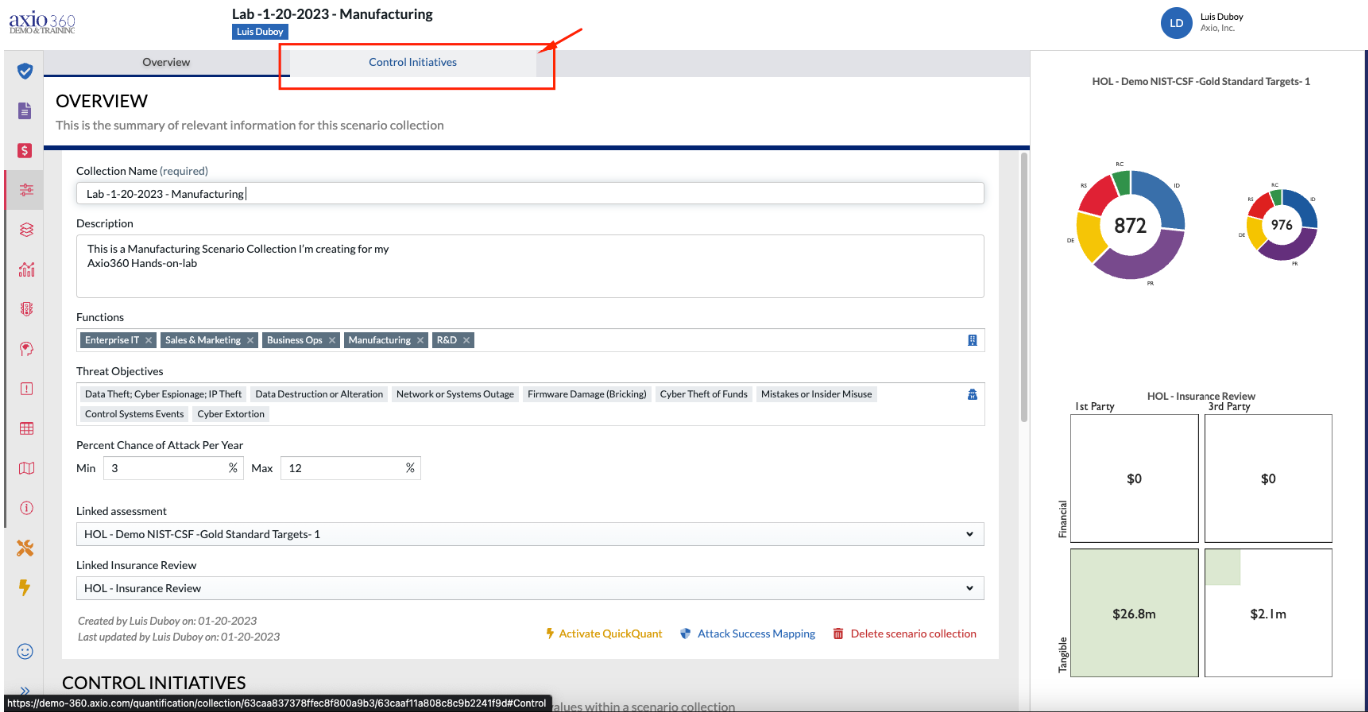
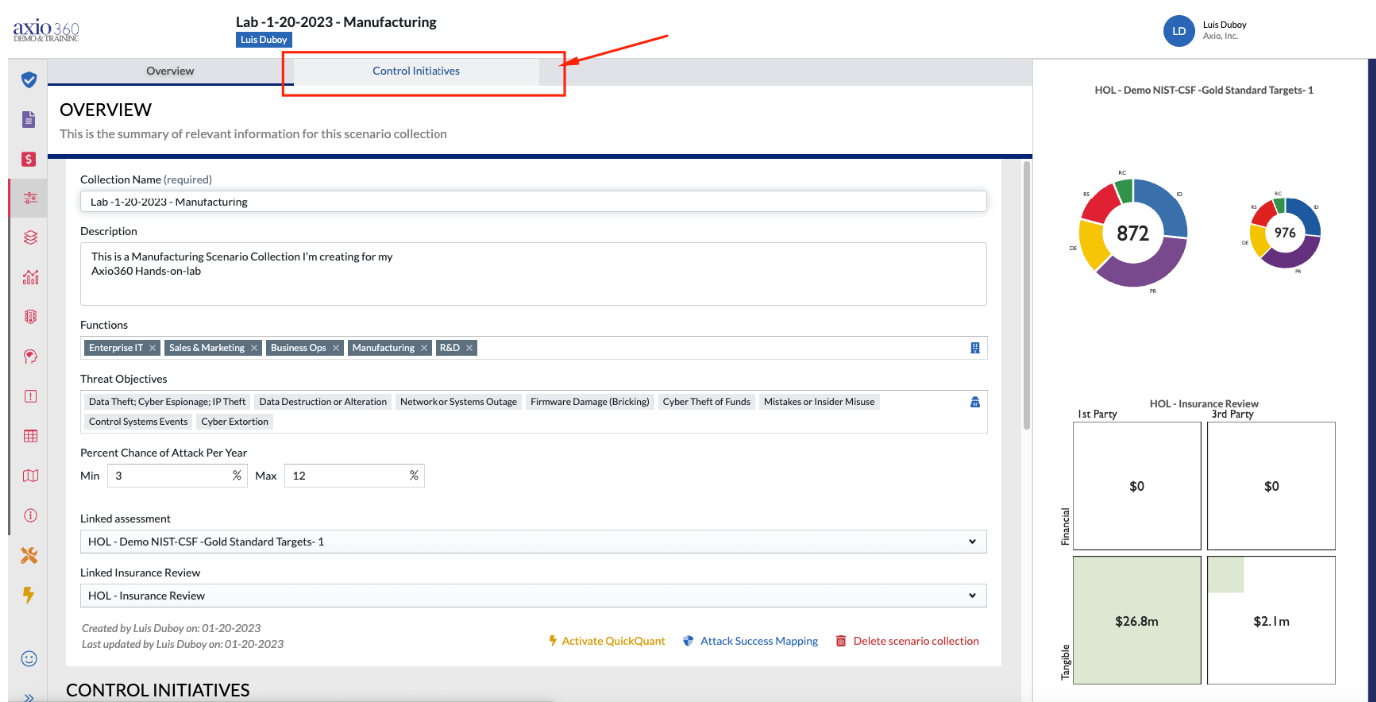
- Select the Control Initiatives tab.
- Select "Create a new control initiative".
- Enter the relevant title and initial cost as well as annual cost. Add control details and select "save".
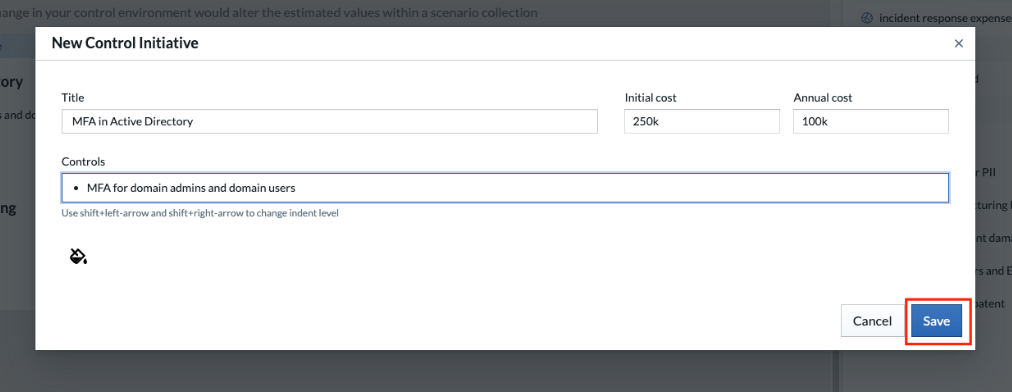
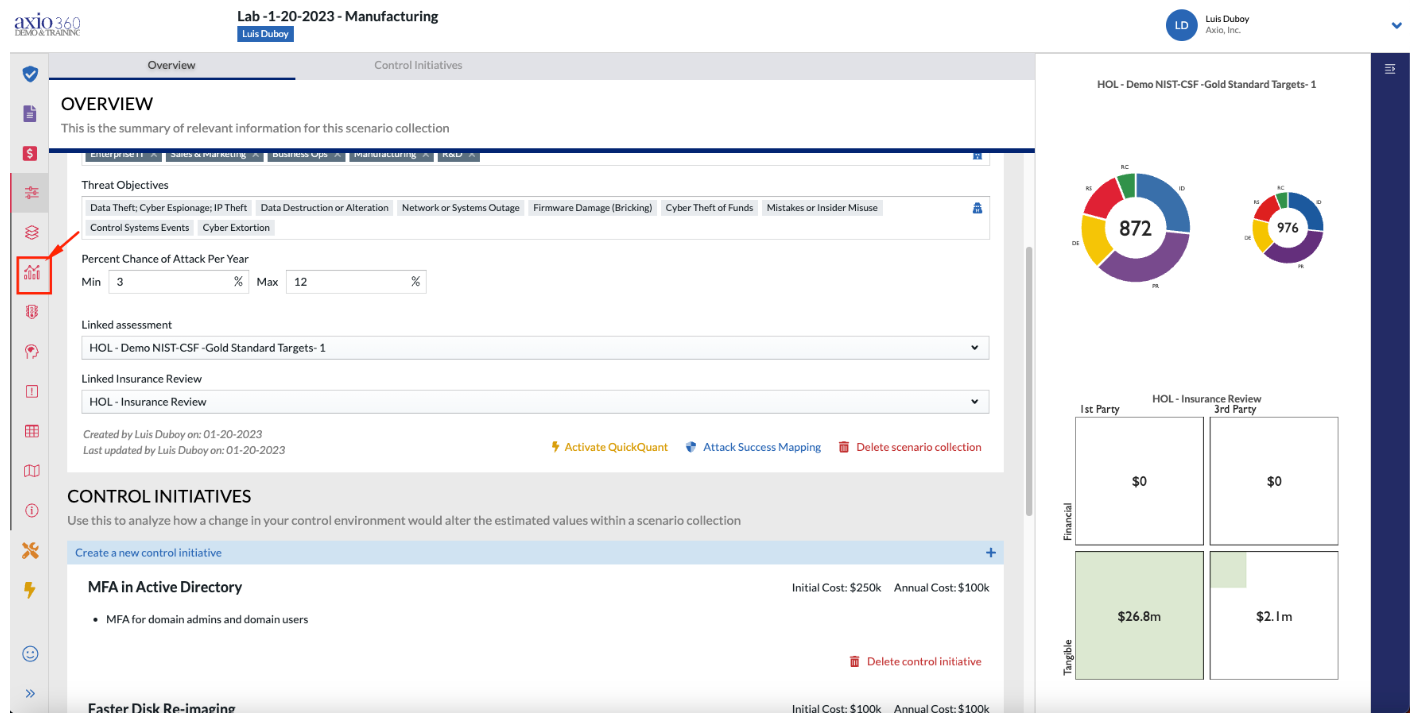
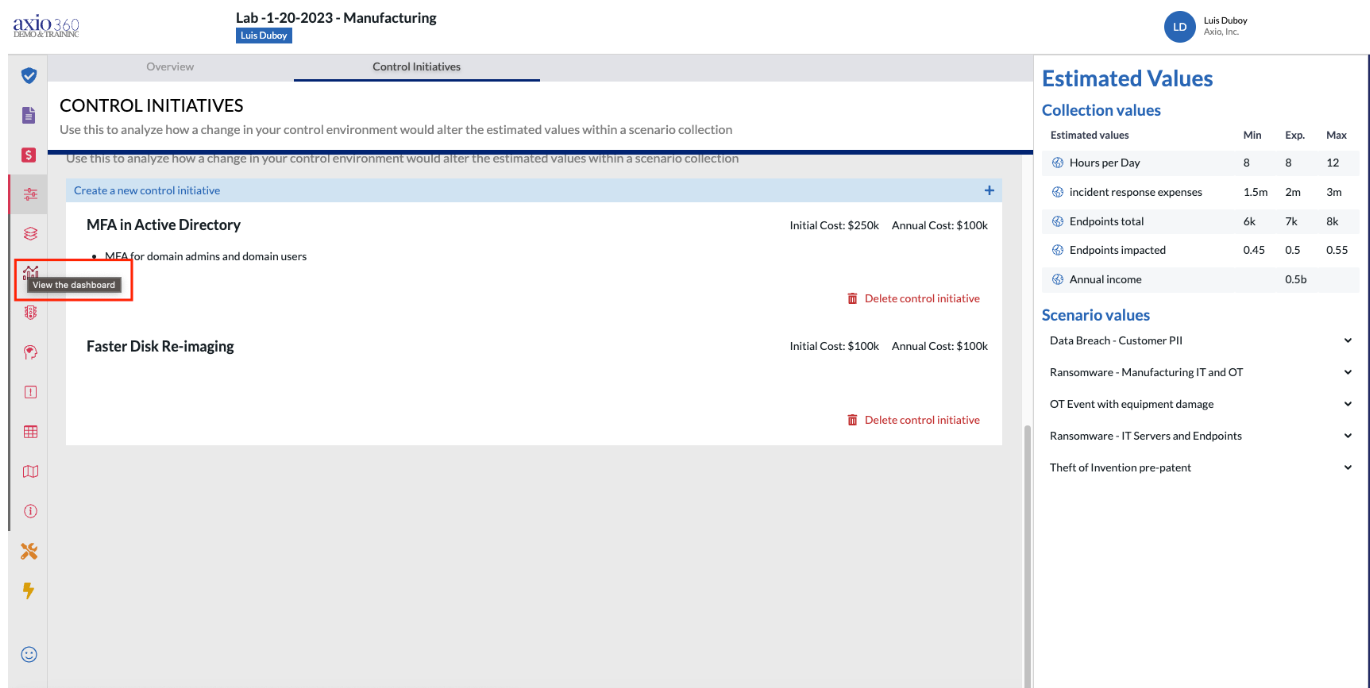
- Navigate back to the Collection by selecting the line and bar graph icon.
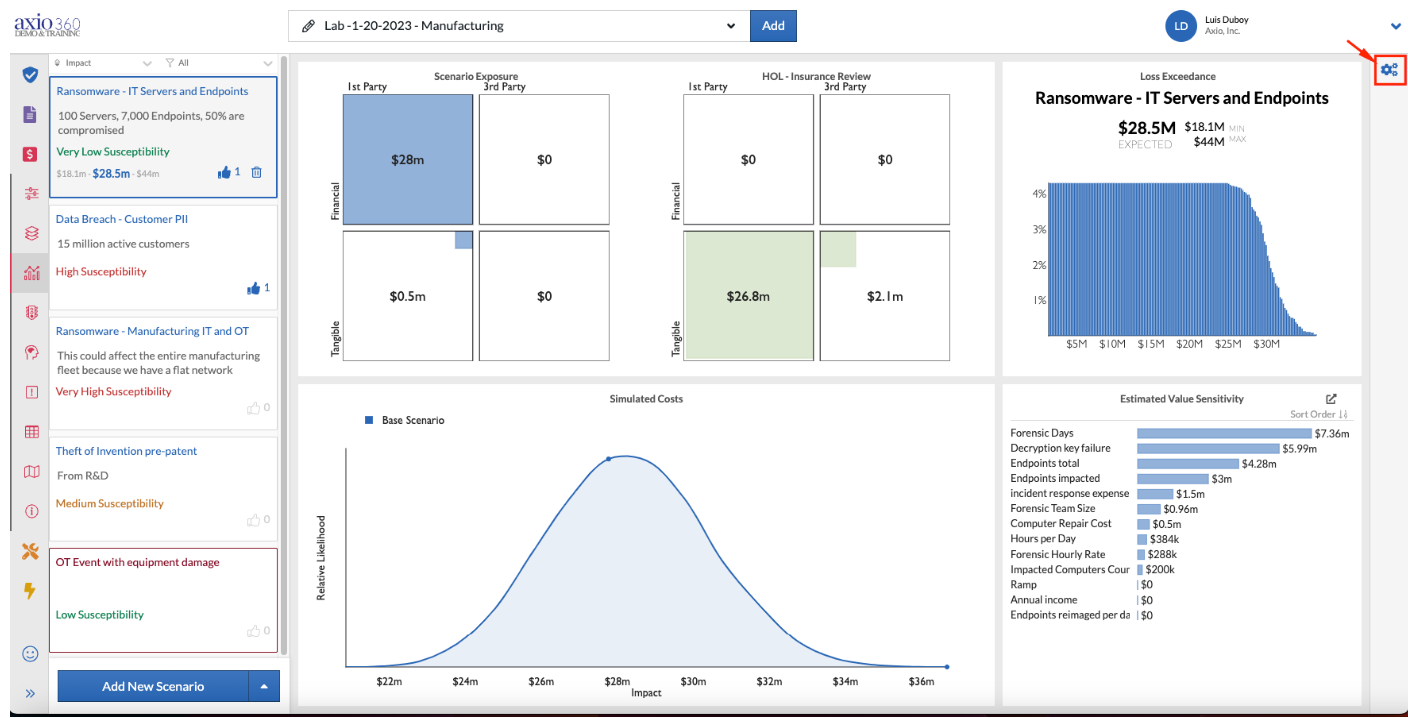
- Select the gear box at the top right and a new panel should open up.
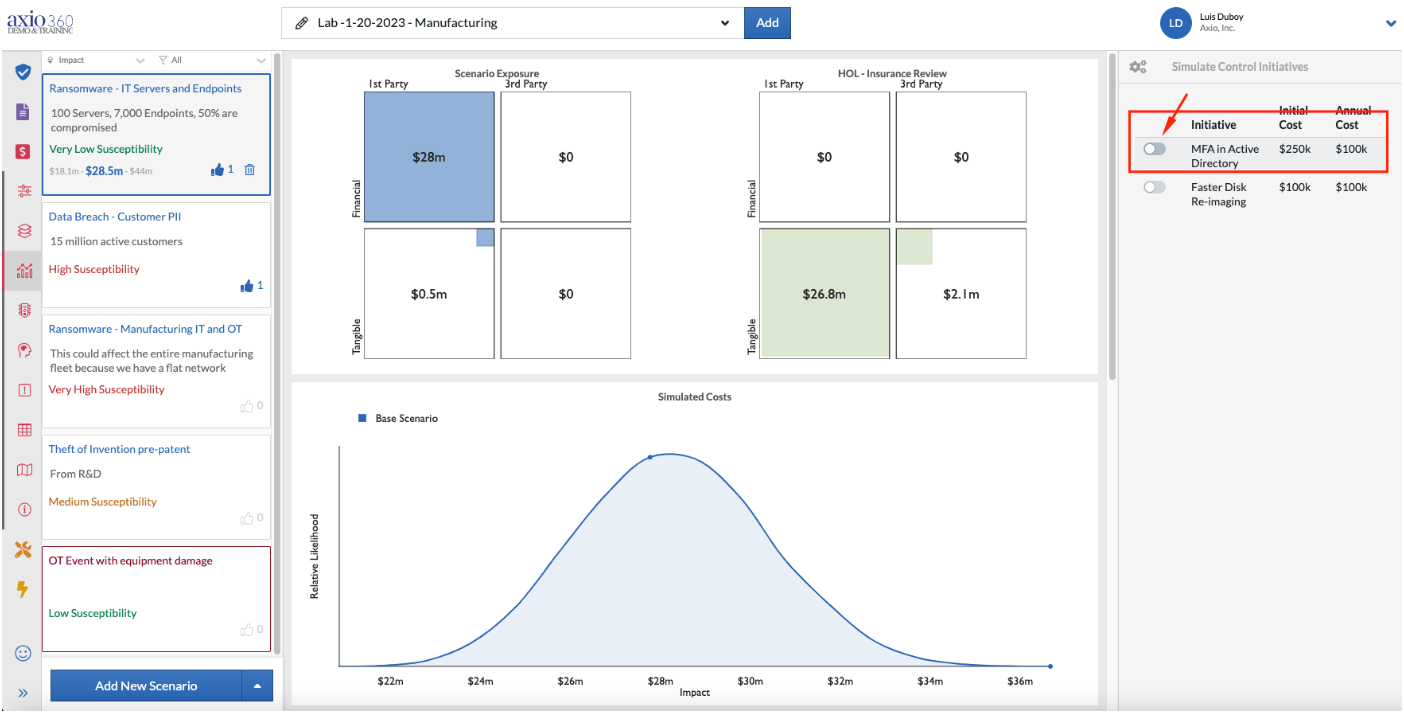
- Toggle the MFA in Active Directory control.
- The original simulated costs of a ransomware event are shown in blue whereas the simulated costs of the same ransomware event if MFA is implemented are shown in green.
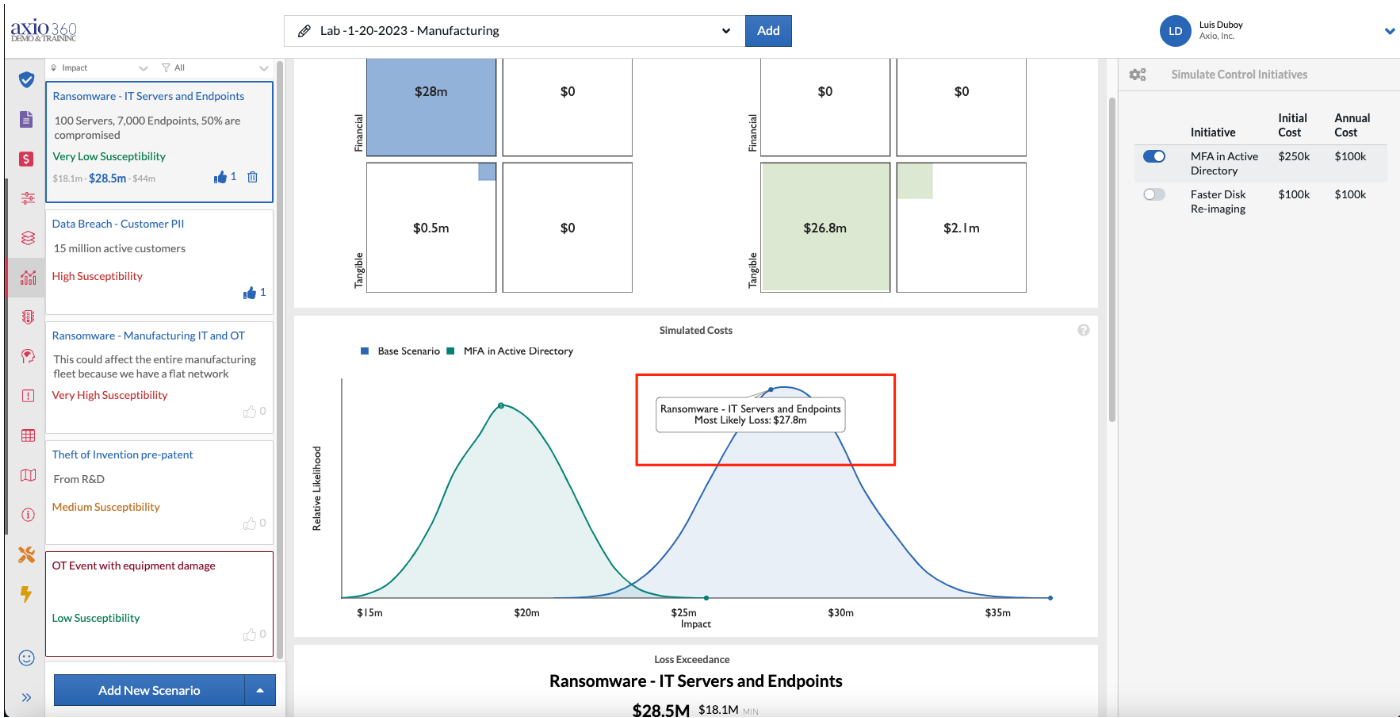
- $27.8 million (blue) versus $19.2 million (green) in costs.
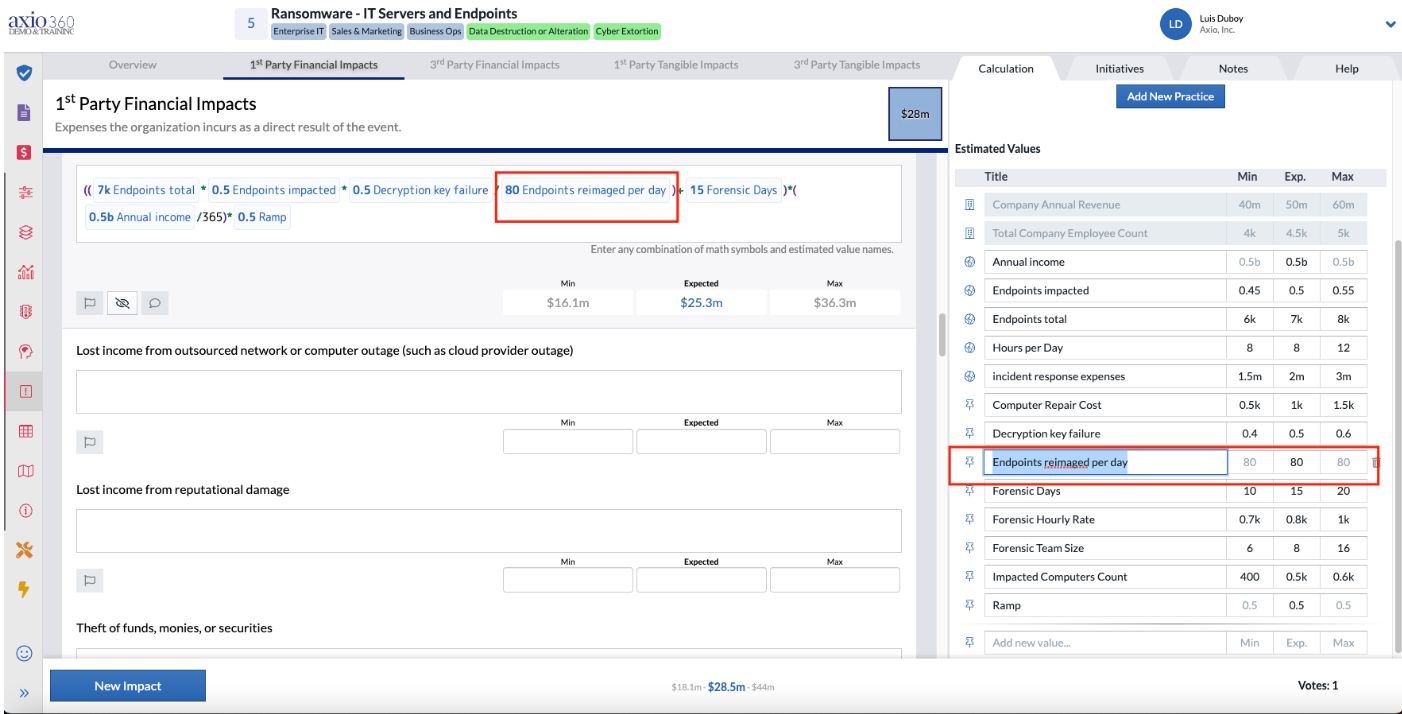
- Navigate back to the Scenario Collection and to the 1st Party Financial Impact of lost income from network or computer outages, including cloud. The Endpoints re-imaged per day is a local variable that is denoted by the tack icon.
- Navigate back to the Collection to create a local control initiative that will impact the Endpoints re-imaged per day.
- Select the create "Control Initiative" tab.
- Select "Create a new control initiative".
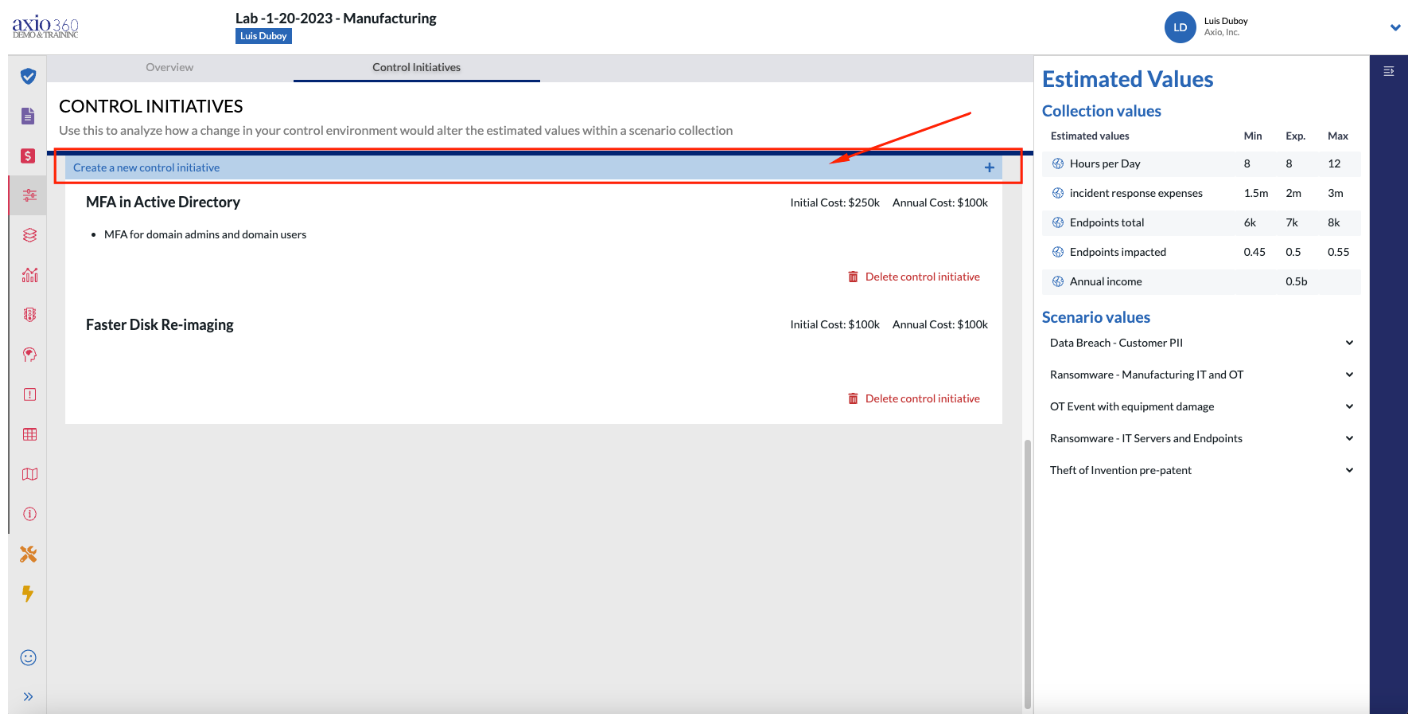
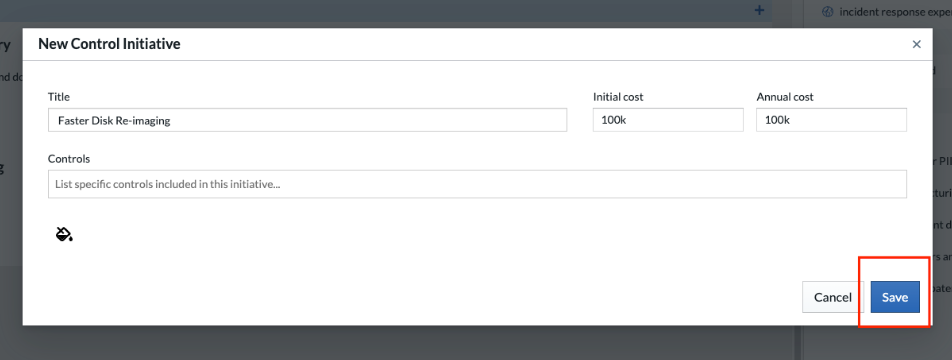
- Enter the relevant title and initial cost as well as annual cost. Add control details if applicable and select "save".
- Navigate back to the Dashboard.
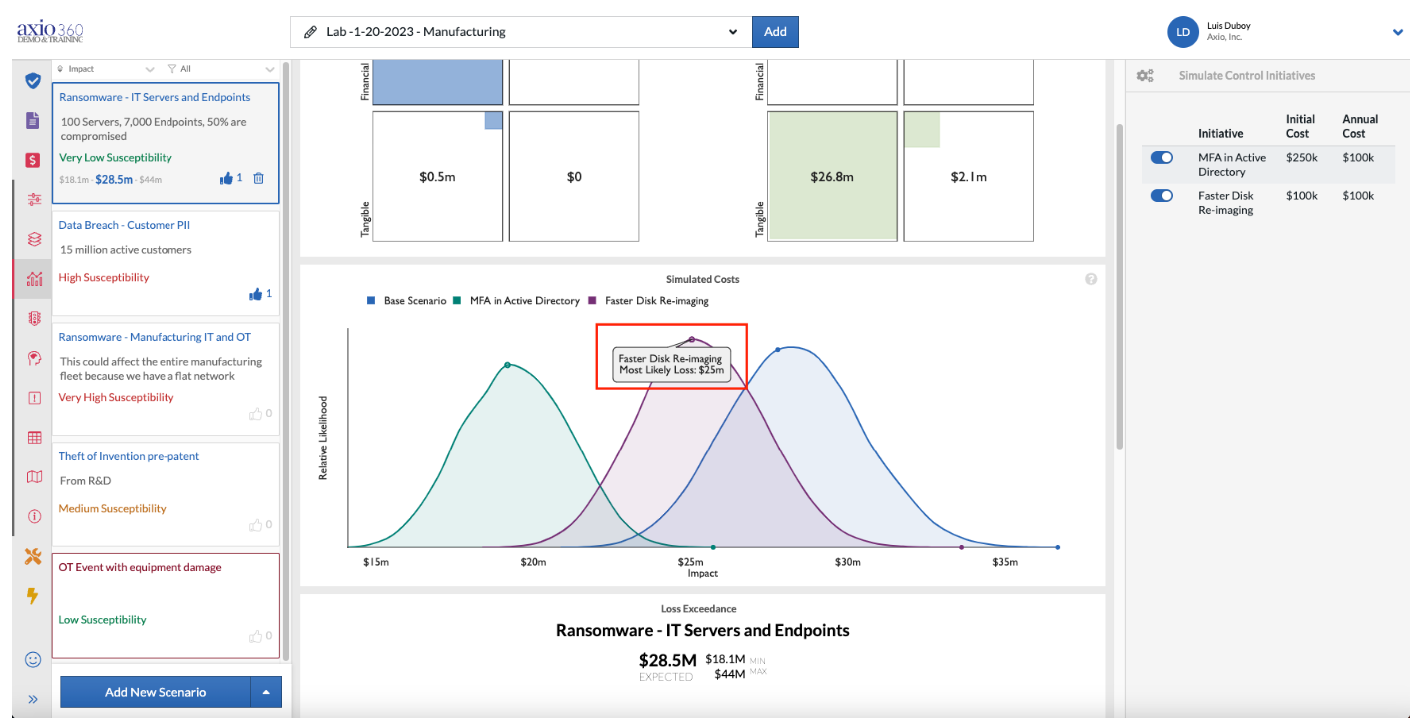
- Select the gearbox on the top right and select the Faster Disk Re-imaging control.
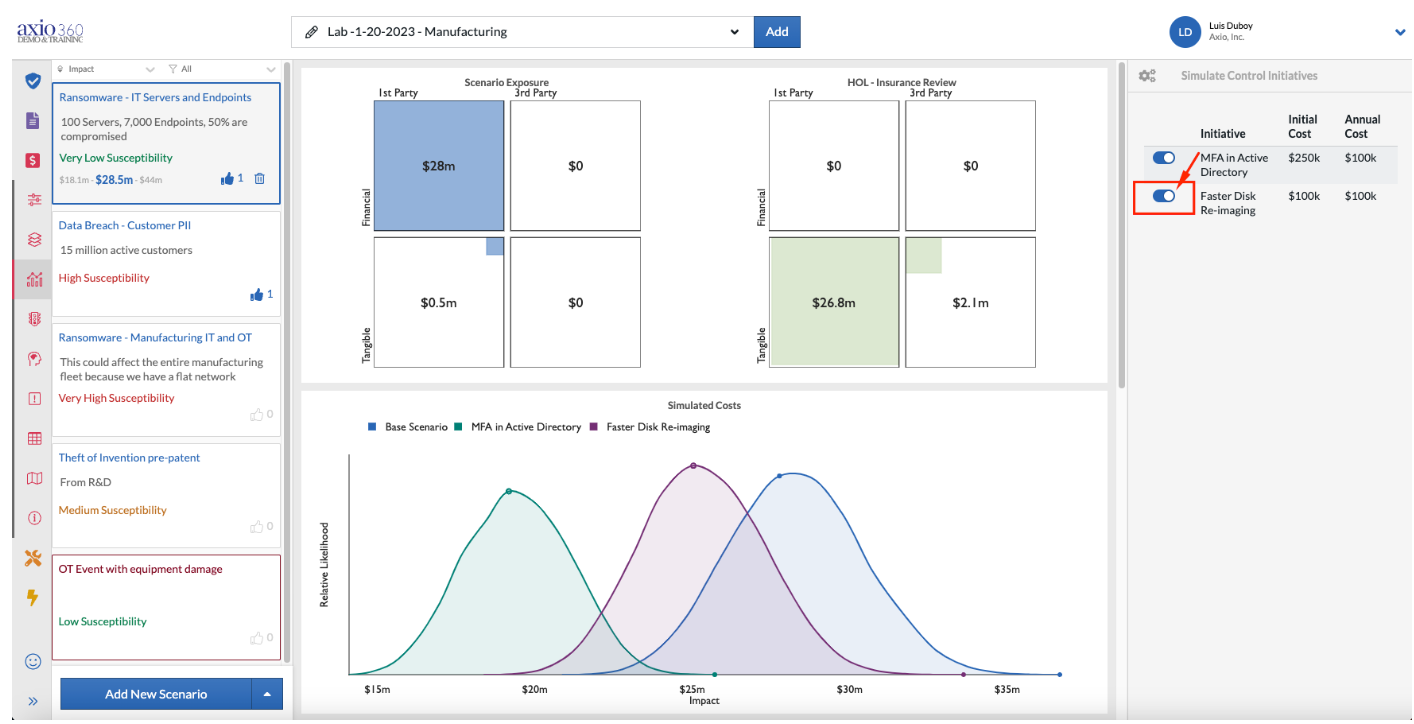
- Simulated costs are shown for the original scenario (blue), the MFA (green) and the faster disk re-imaging (purple) control initiatives.
- The faster disk re-imaging control initiative has simulated costs of $25 million while the MFA initiative brings the simulated costs down to $19.2 million.