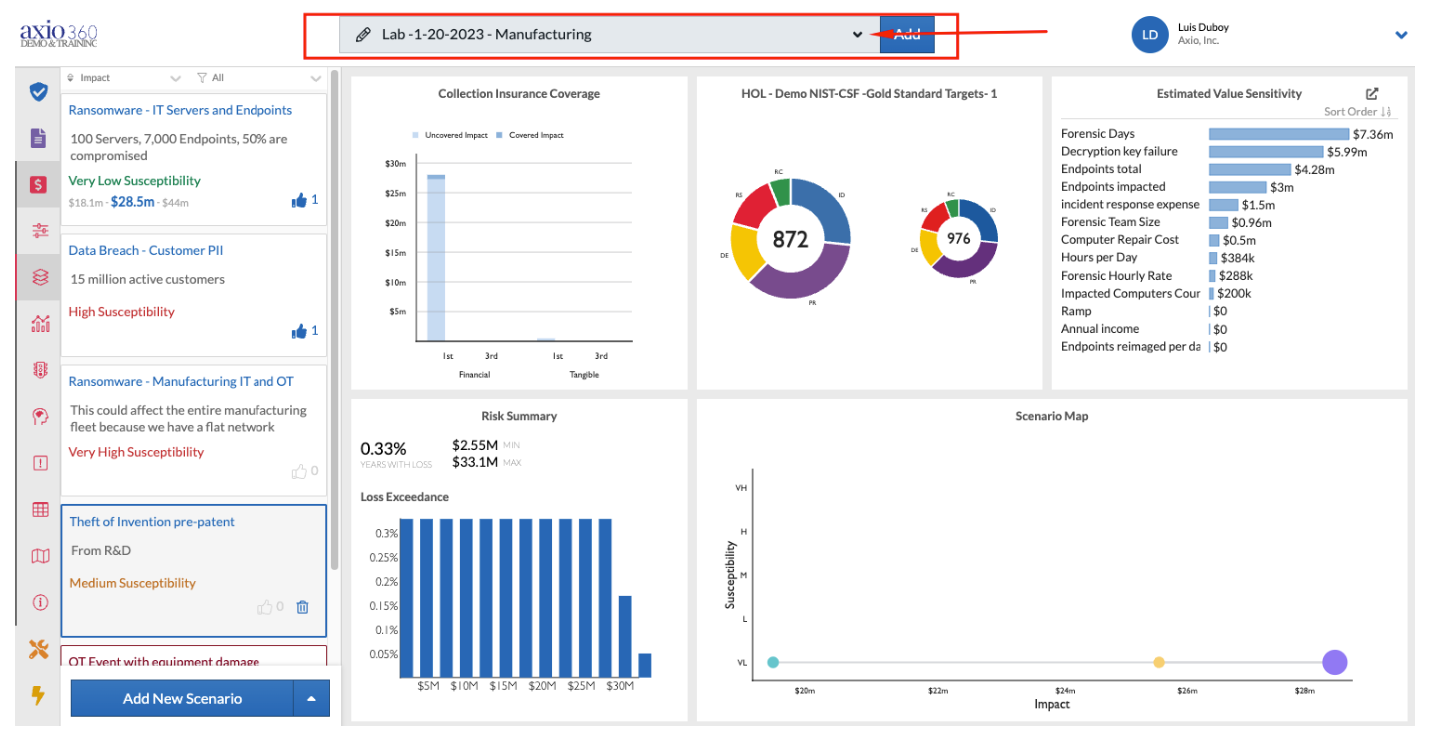
- In the quantification module, select the scenario collection you'd like to share from the drop-down menu at the top:
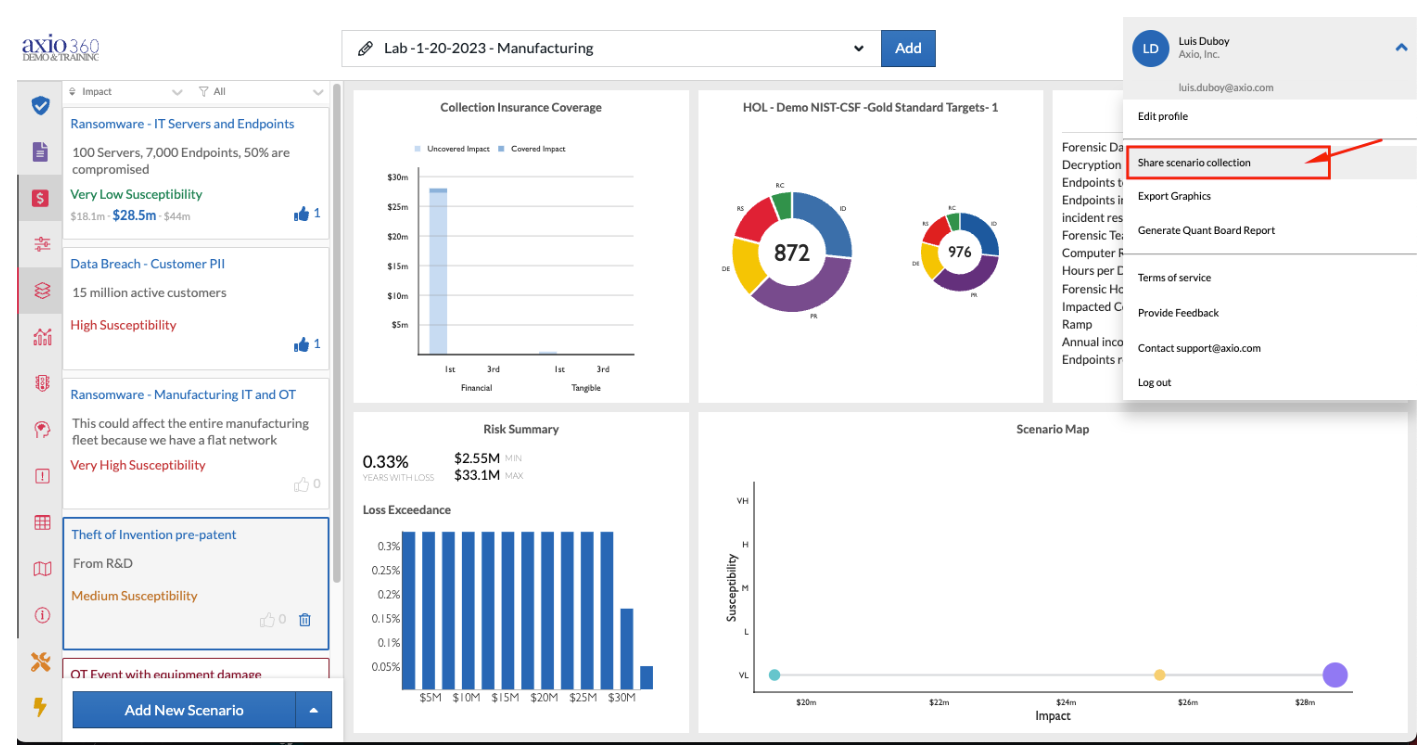
- Once the scenario collection has been selected, navigate to the drop-down arrow on the right of your user-name and select "share scenario collection:"
- Please note - only owners and company admins can share scenario collections.
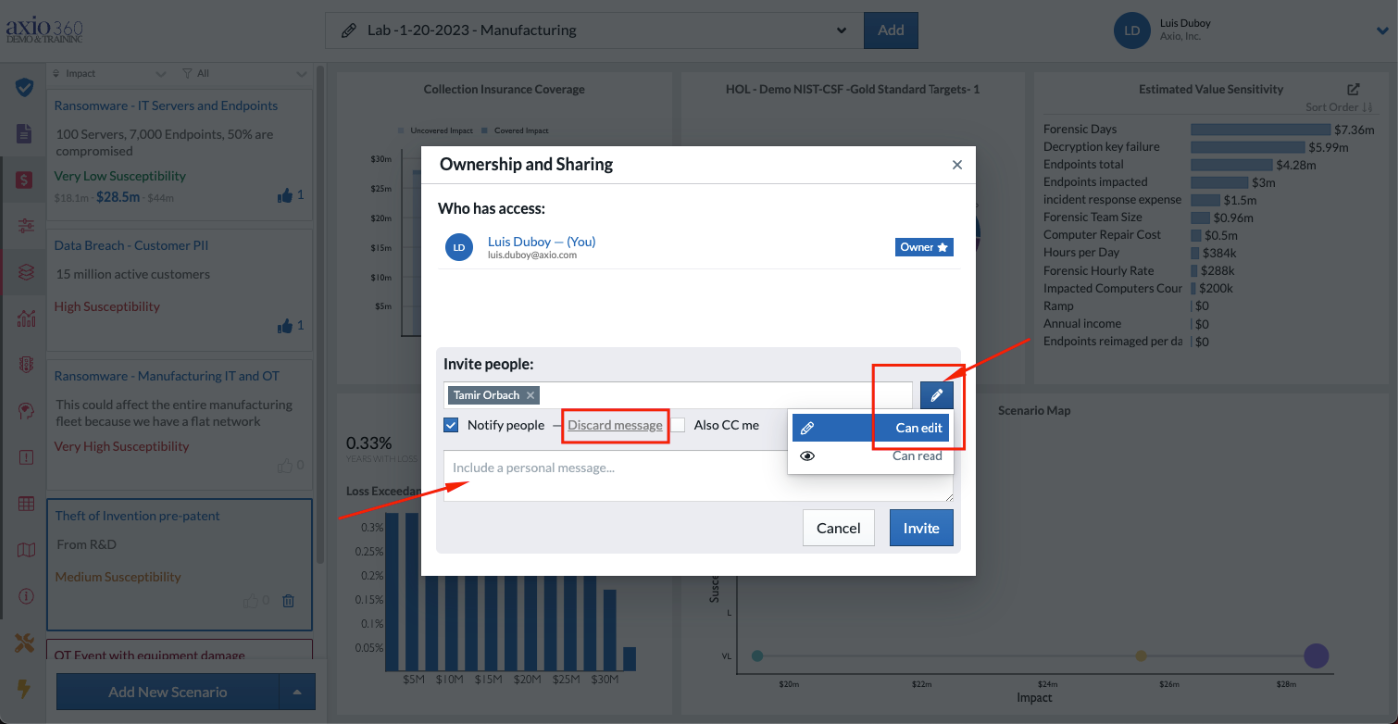
- Owners can add individuals in the invite people field and toggle edit or read privileges by selecting the pencil icon on the right (see below).
- Notify people is automatically selected, but the option to add a message is there. If a message is required, it can be entered in the field below.
- Select invite. This will share the scenario collection with the selected individuals.