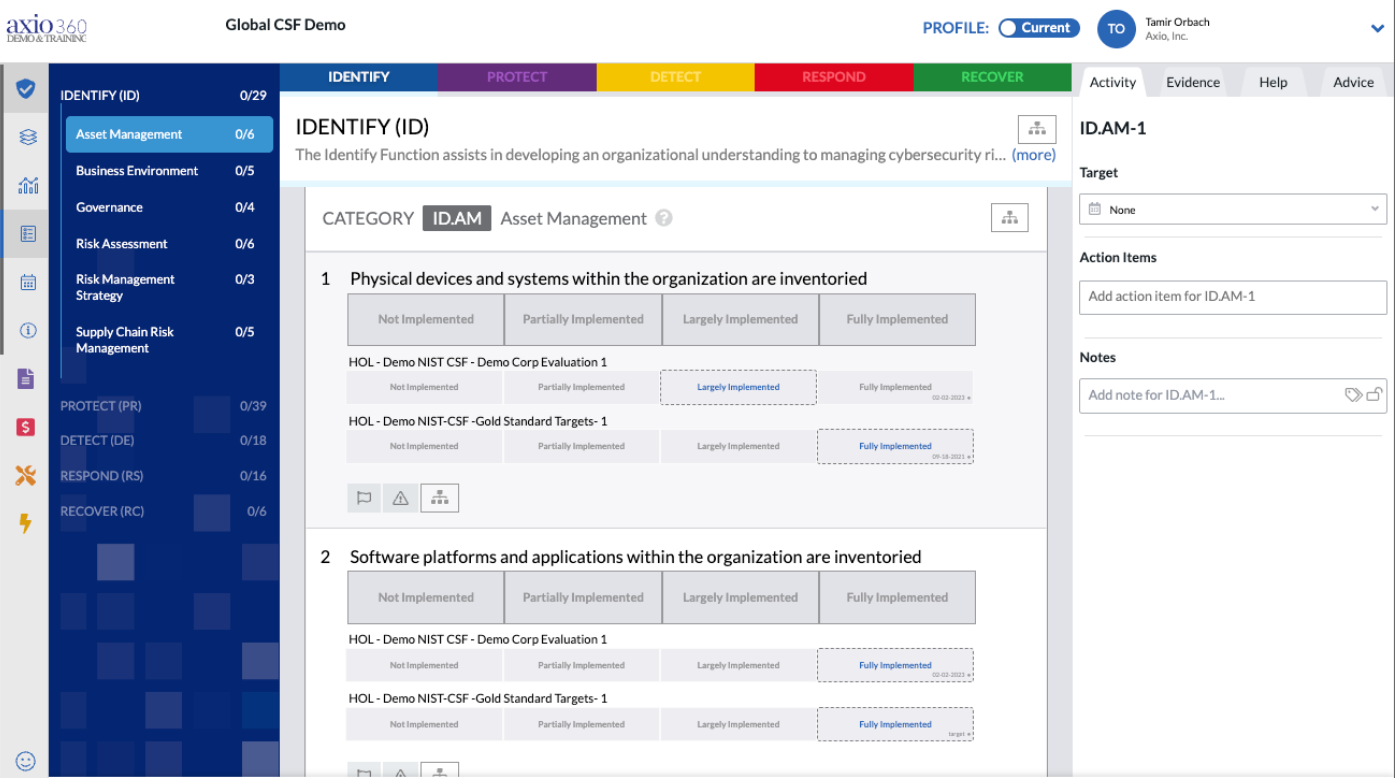
Setting a reference assessment is a powerful way to use the Assessment module, allowing you to view one or more reference assessments as you complete your current assessment.
- In the Assessments module, if you haven't already created a NIST CSF assessment called Global CSF Demo, create one now.
- Once you've created it, select the hyperlink to it to get into the questions area.
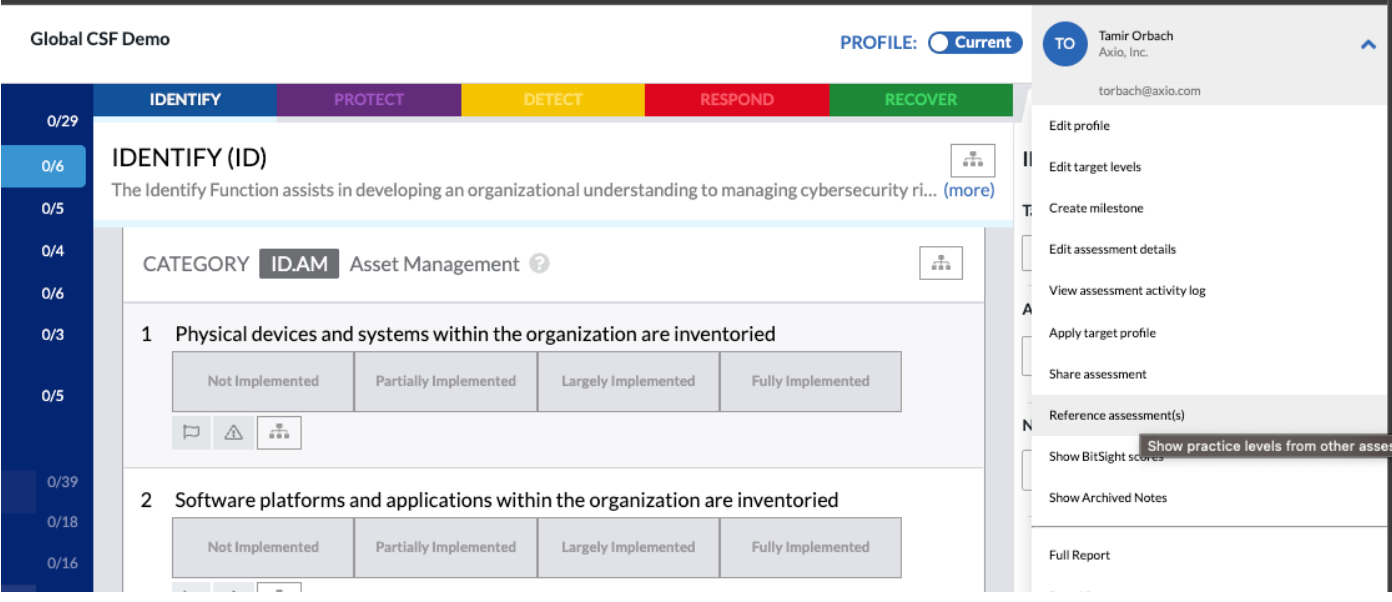
- Select the top right menu, and select "Reference assessment(s)"
- You will now be shown this screen:
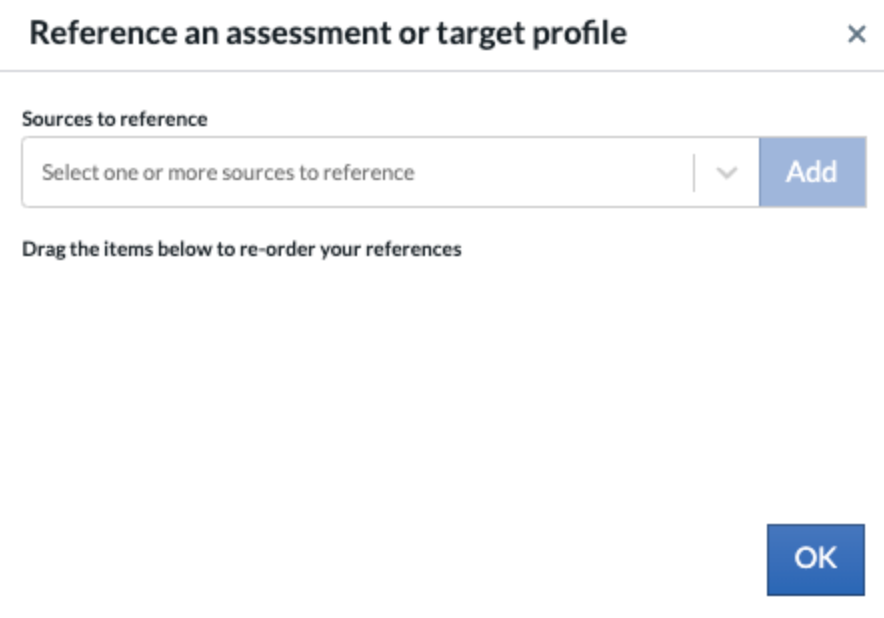
- Click on the drop down titled "Sources to reference" and select "HOL - Demo NIST CSF - Demo Corp Evaluation"
- Click on the drop down again and select "HOL Demo NIST-CSF -Gold Standard..." and then select Add.
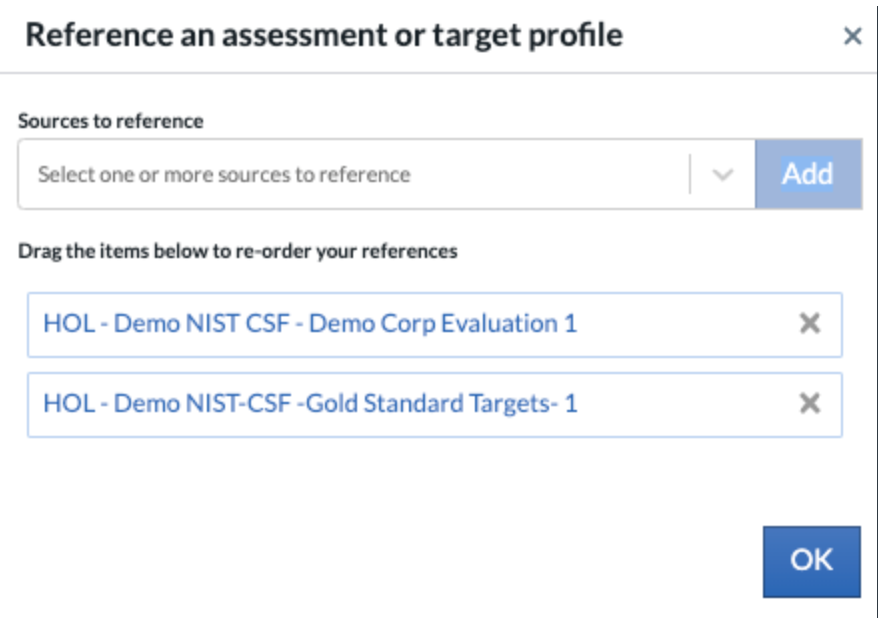
- Select "OK"
- You will now see your Global CSF Demo assessment, and underneath each question, you'll see the same question with the values selected for each of the above selected assessments.
- You can now reference these as you go through, so that you know how you're doing as compared to these reference assessments.