
There are two ways to prioritize Cyber Risk Threat scenarios:
- Use the Brainstorming board with voting.
- Use the Heatmap.
- To use the heatmap, from the Quantification screen, select the Heatmap command button on the toolbar:

- This will take you to a screen similar to this:
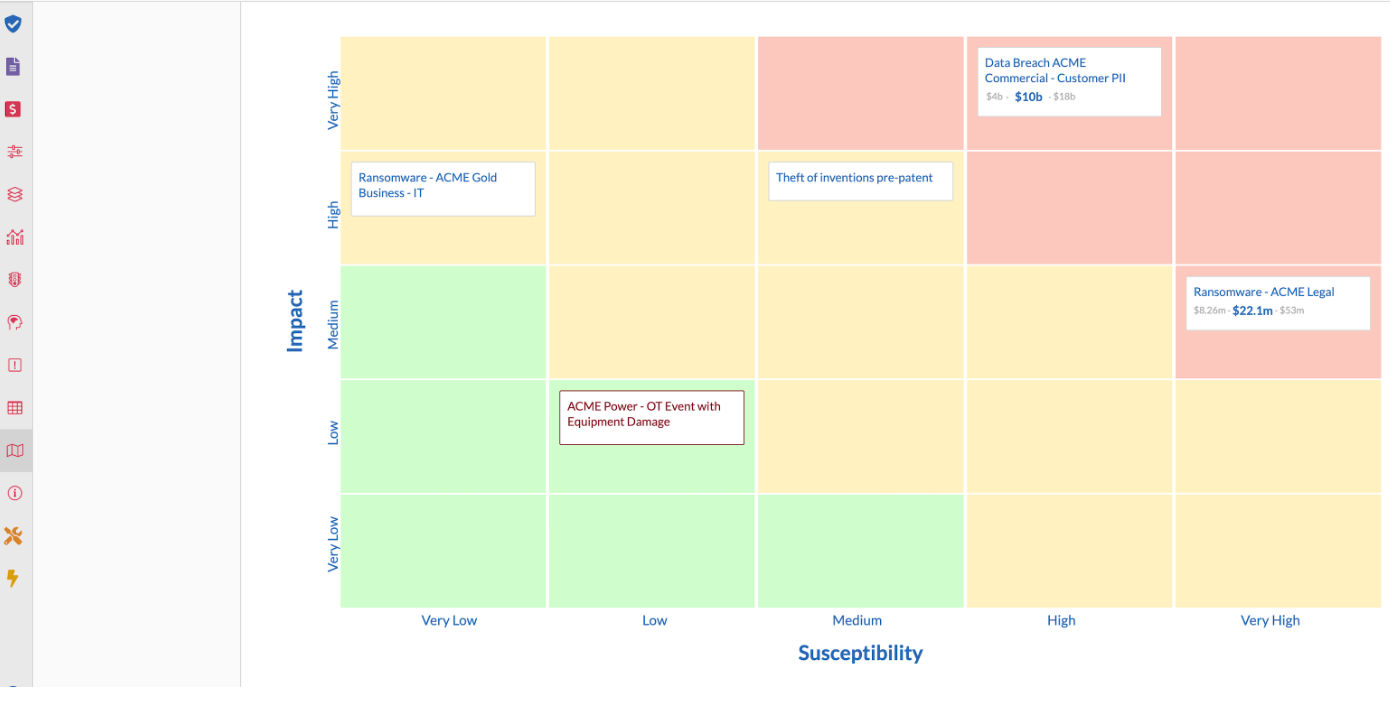
- The heatmap presents Impact the scenarios on a graph with Impact on the Y-Axis, ranging from Very Low to Very High, and Susceptibility on the X-Axis, ranging from Very Low to Very High.
- As a group, discuss first how susceptible your organization is to the specific cyber threat scenario, and drag that scenario to the bottom Y-axis value of the appropriate Susceptibility, until all of your scenarios are at the bottom of the graph, but in the appropriate susceptibility.
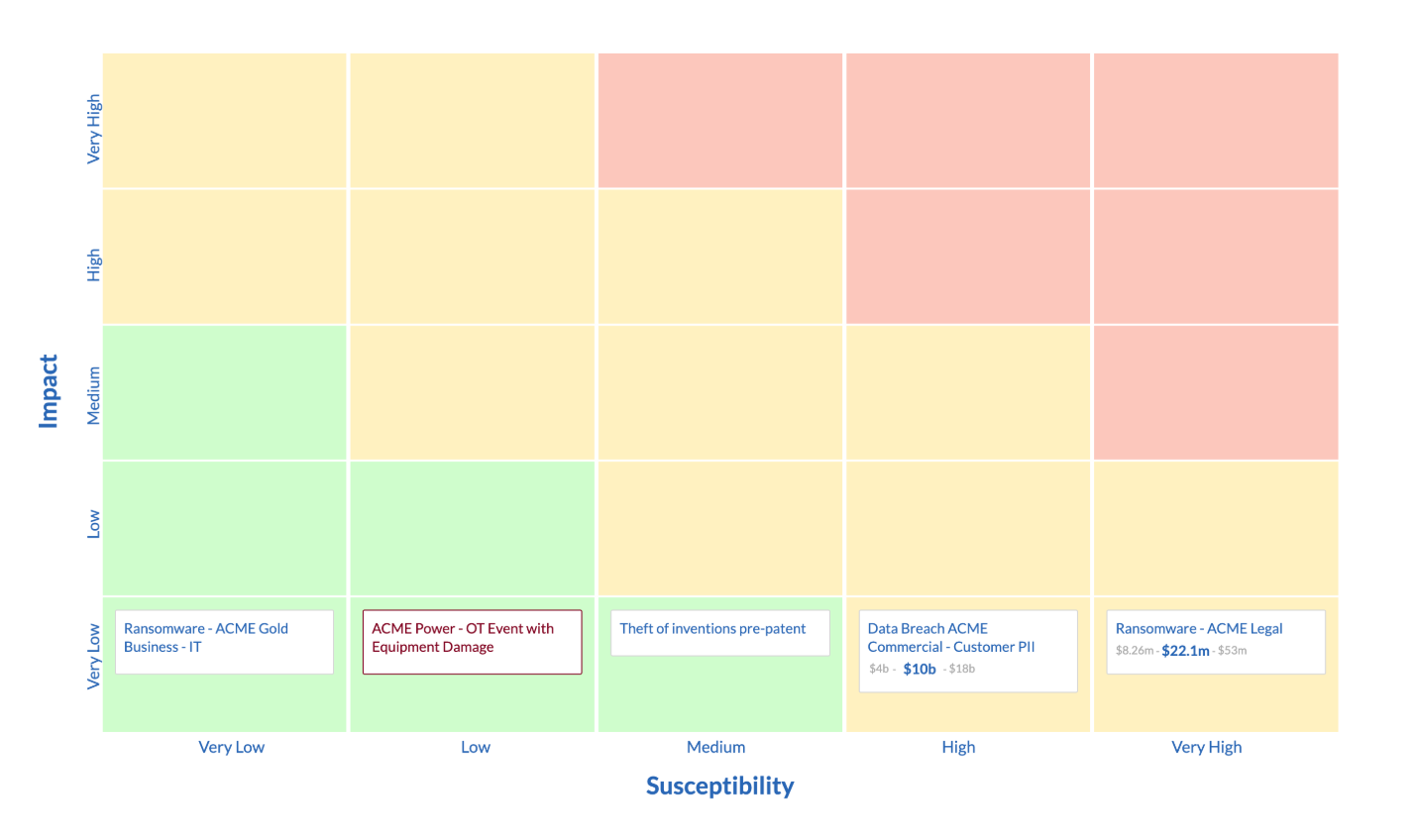
- Once you've established the susceptibility of each scenario, discuss the estimated impact of each scenario with the group, and agree upon where that scenario should appear on the Y-Axis. Then move that scenario to that value by dragging and dropping each one. This will then provide you with a prioritized list with which to start elaborating the narrative of each scenario.
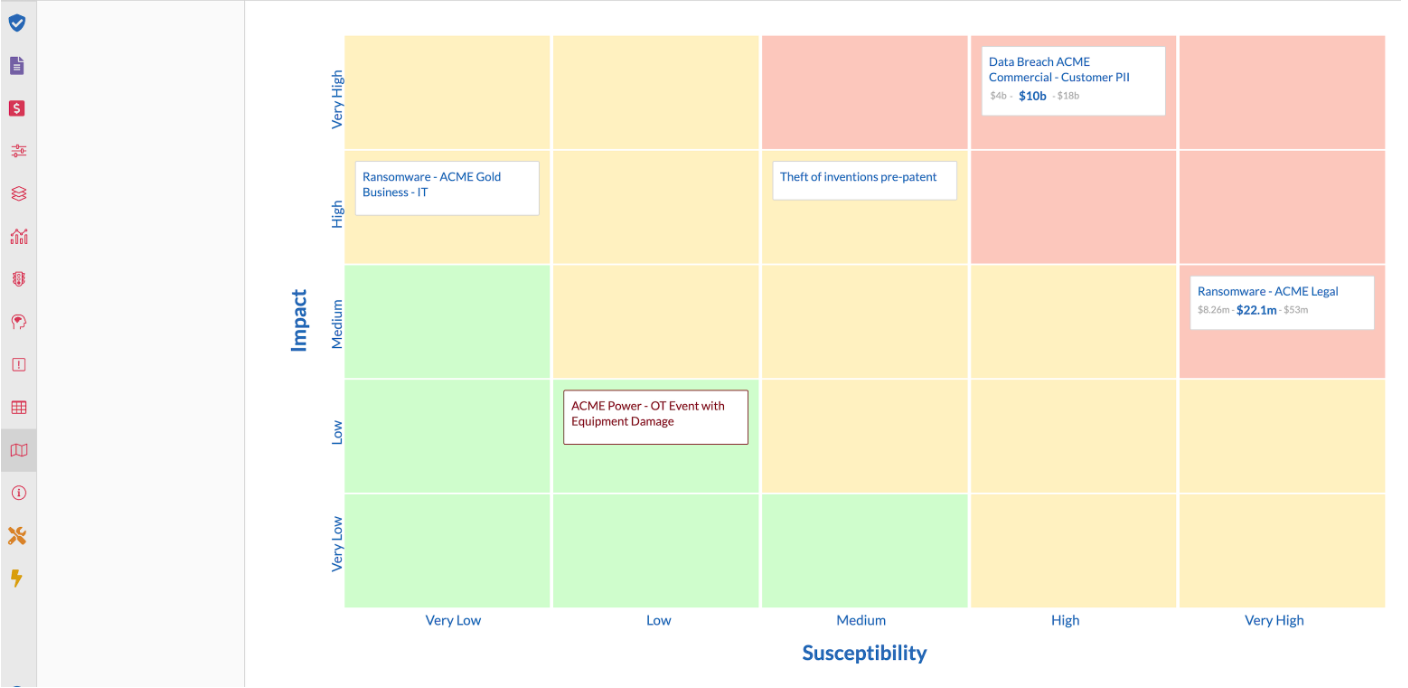
- As you elaborate the narrative and fill out the formulas, you will likely discover that your group underestimated or overestimated the impact of some of the scenarios.