
- In the following example, we will review how to hide assessment categories that do not apply to a current assessment in the example below.
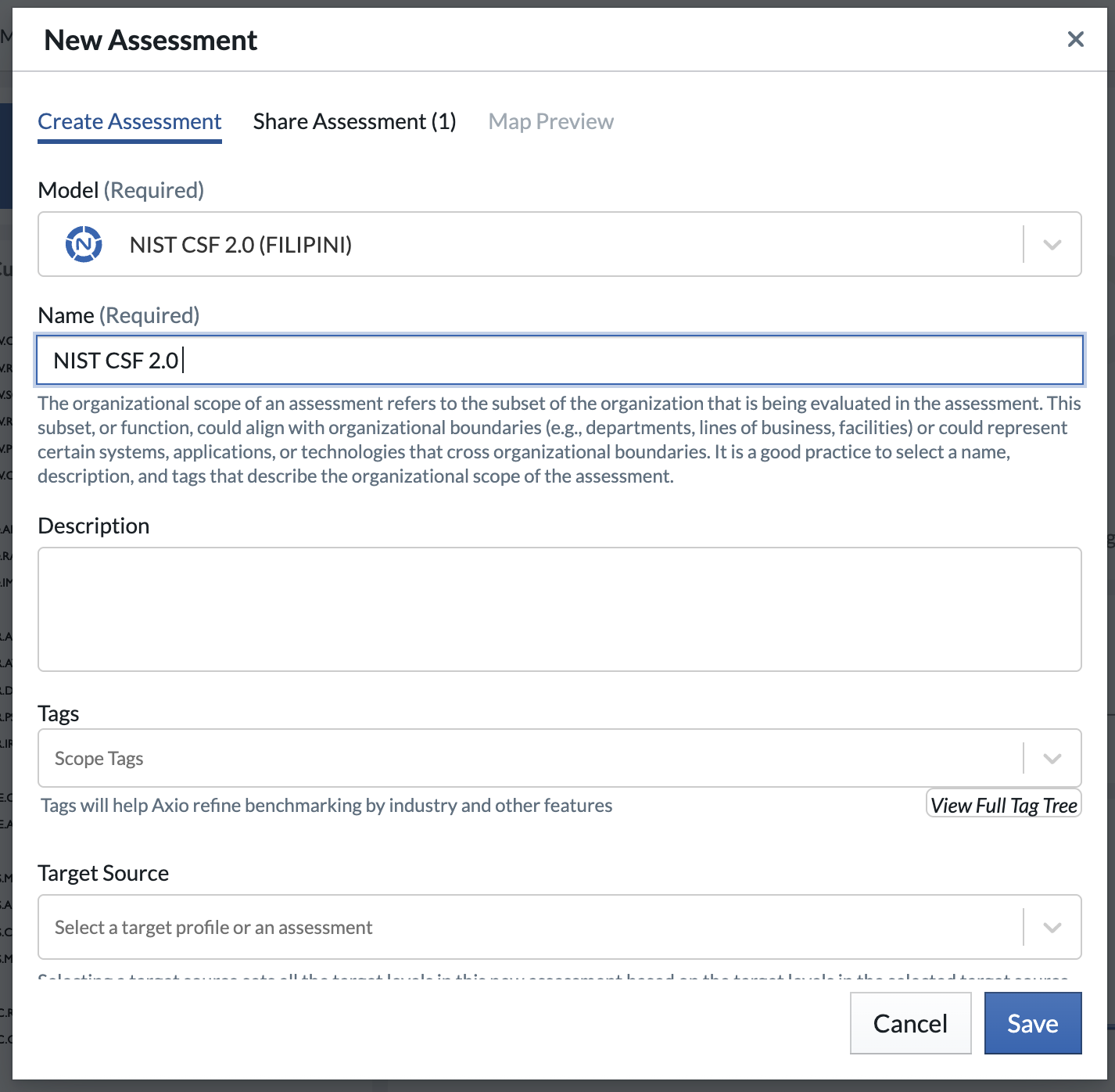
- First, create a new NIST CSF Full assessment on the assessment dashboard
In the New Assessment dialog, name it and then select Save:
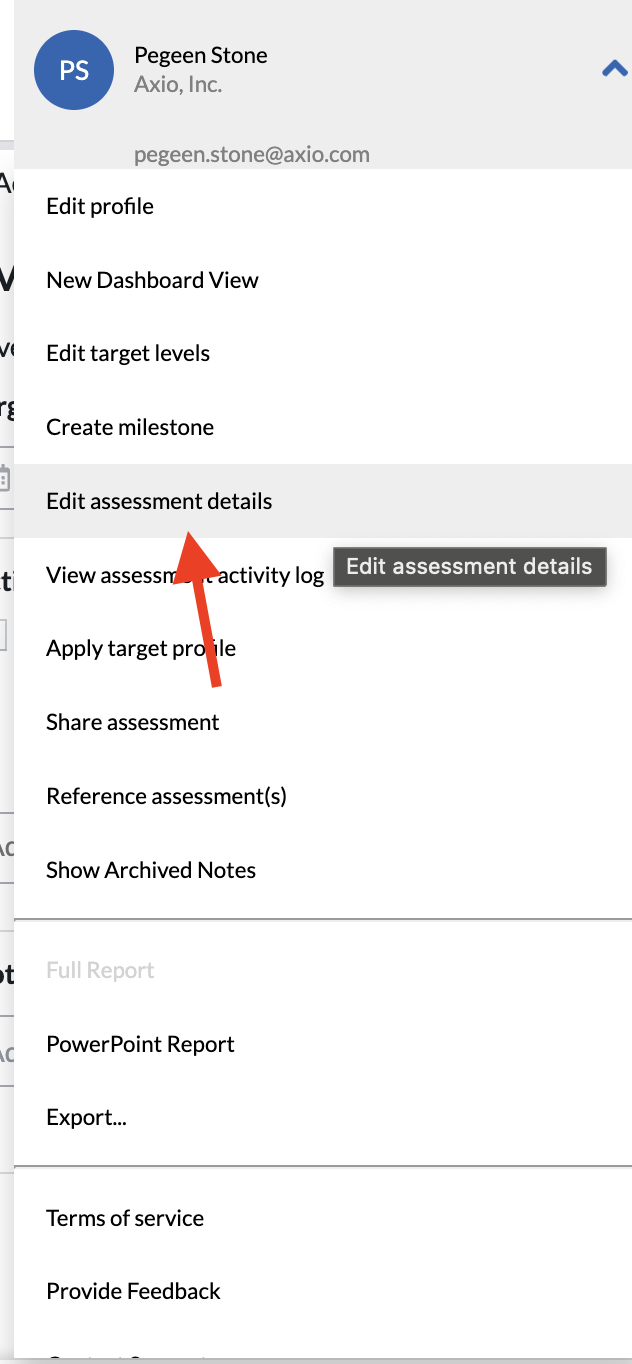
- Now selecting the menu on the top right, and then selecting "Edit Assessment Details", will take us to the screen below:
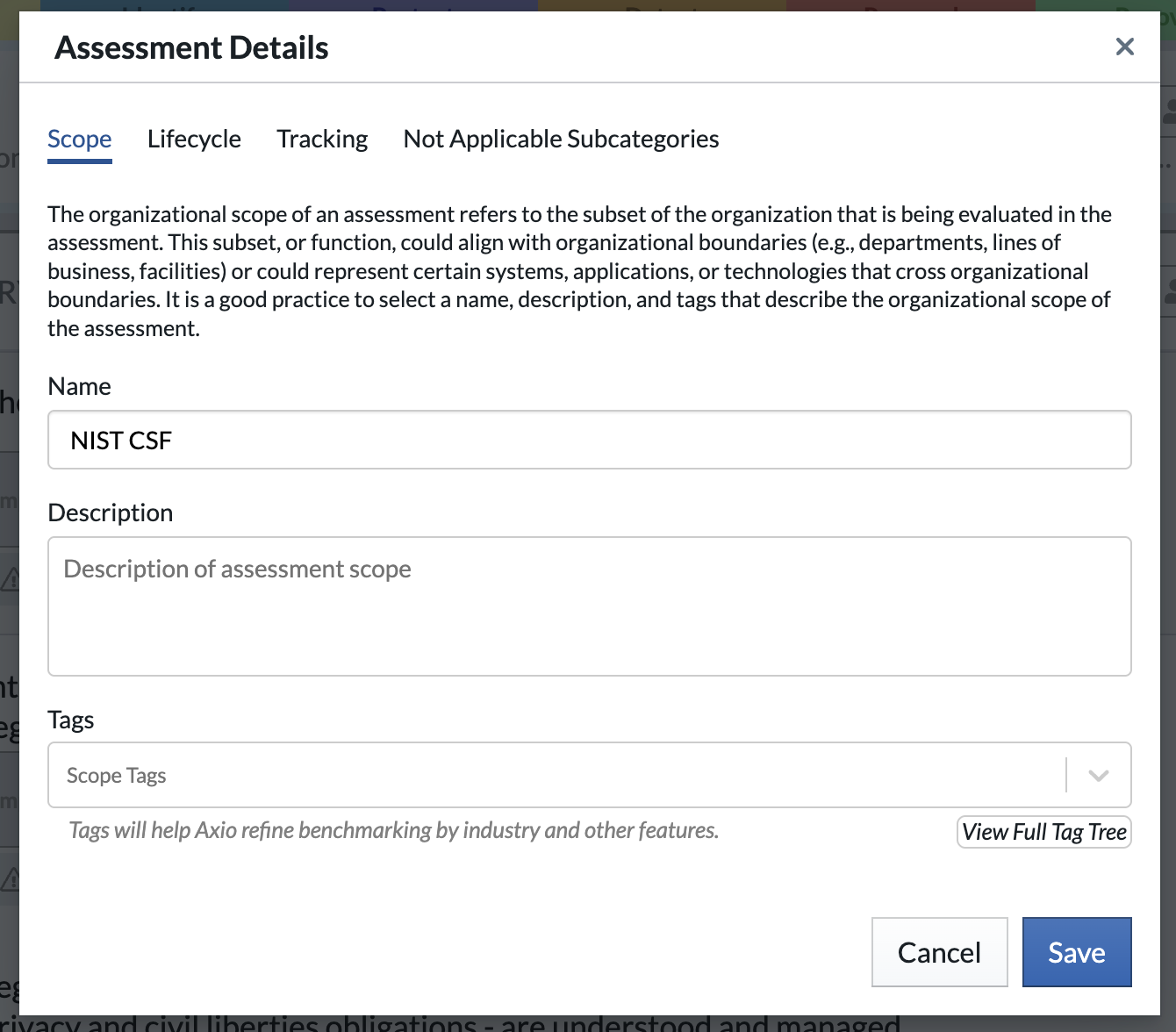
- Select the "Not Applicable Practices" tab.
- Then select "Hide Not Applicable Practices" toggle:
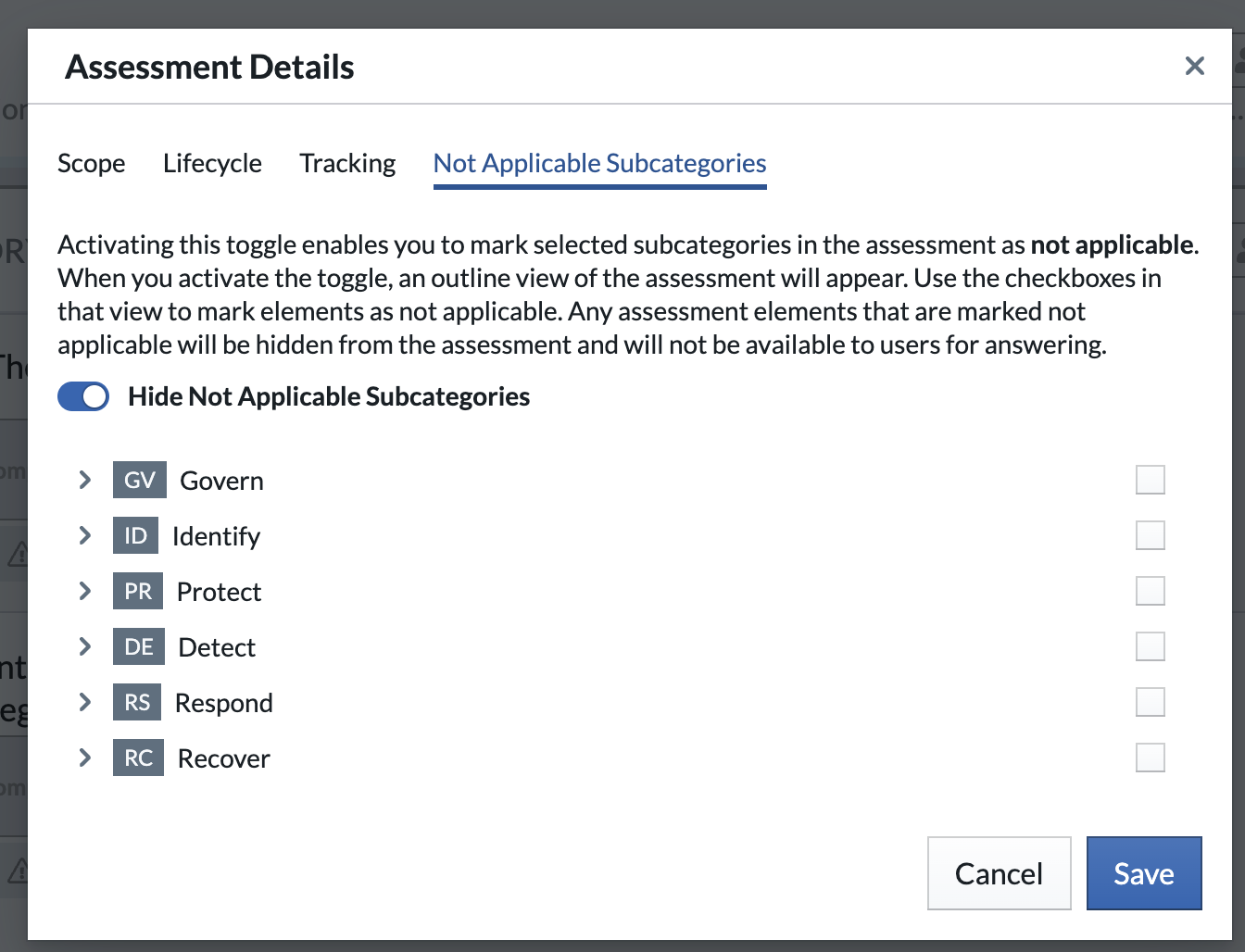
- Now select the practices that you do not want to apply to this assessment, and then select Save.