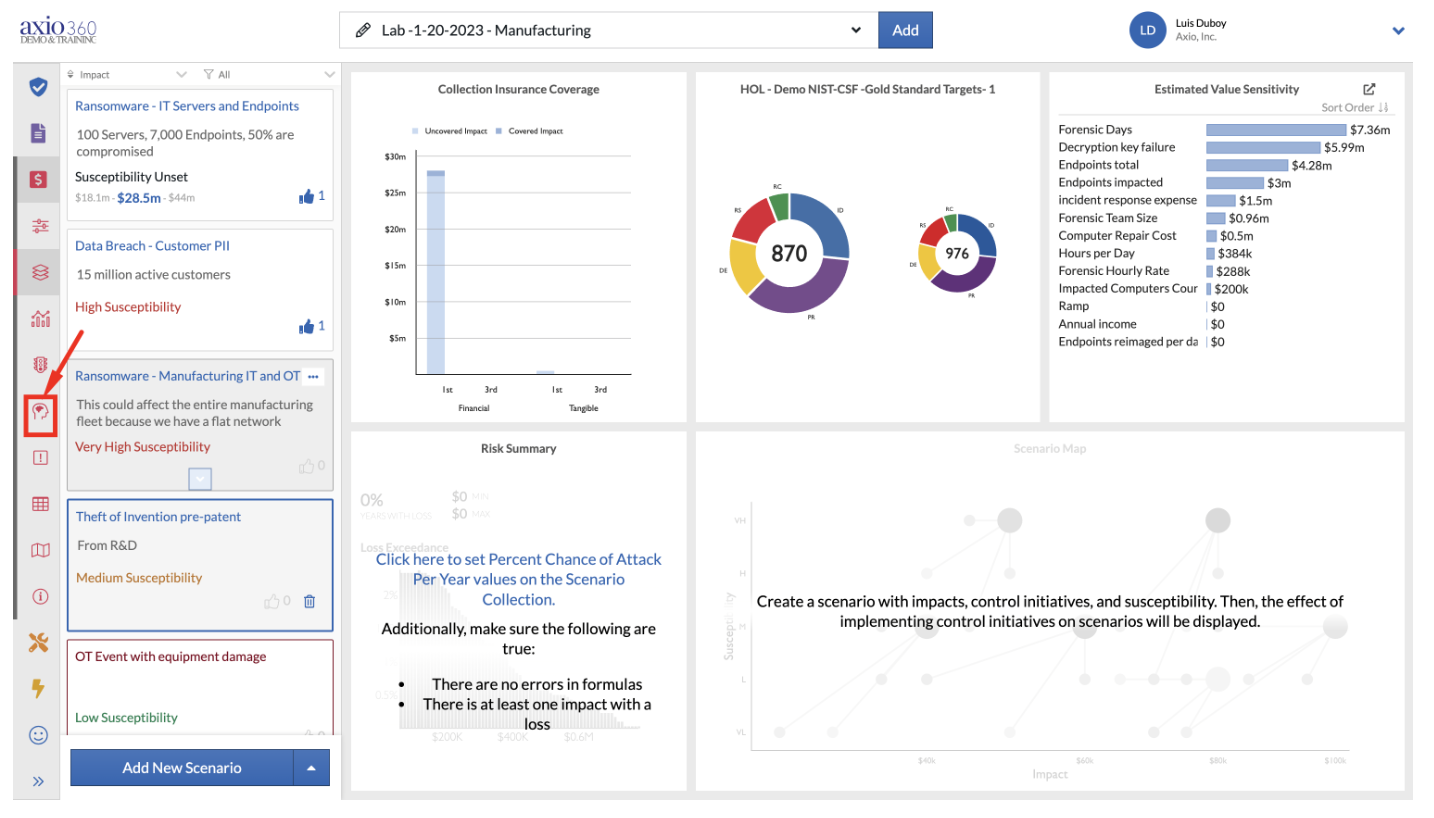
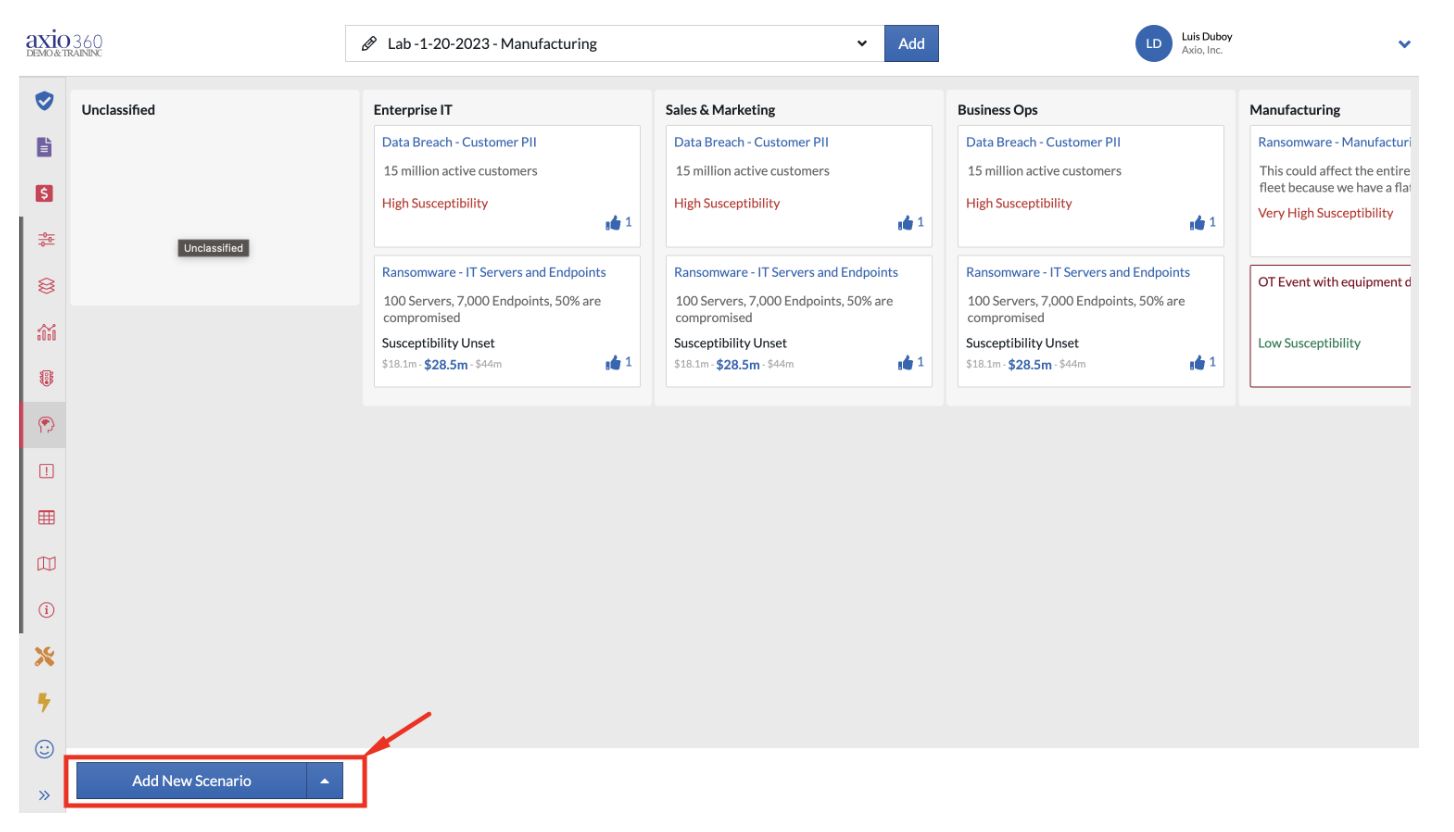
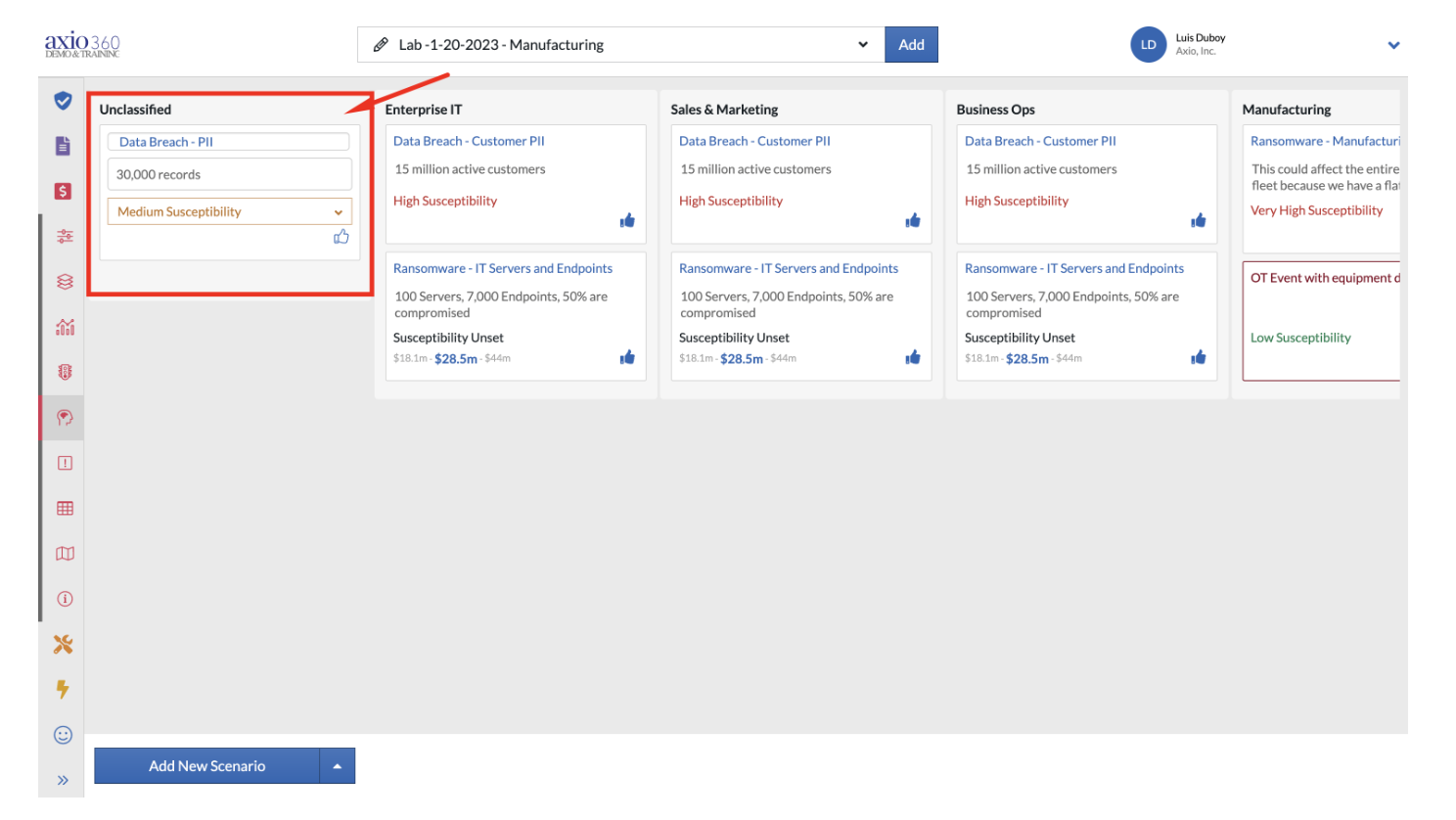
How to Add a Threat Scenario from the Brainstorming Screen Once you're in Cyber Risk Quantification, select the Brainstorming icon: Select "Add New Scenario" on the bottom left of the screen: Add the new Threat Scenario, details and susceptibility level: